
This update brings updates to the tree inventory, crew schedule to your office managers to prevent double-booking, more accurate work time calculation, new payment options and more accurate map directions for our Australia and New Zealand clients, unique brands look on the customer portal, better search tools and map pins that stay exactly where you drop them, improved estimates draft, and more.
Tree inventory updates

Multiselect in tree list
| We’ve made it much easier to manage groups of trees directly from the list view on the mobile app. Previously, if you wanted to perform "bulk actions" - like adding multiple trees to a bill or deleting them - you had to do it from the map view. Now each tree includes a checkbox, and you can also select all trees to perform bulk actions. |
 |
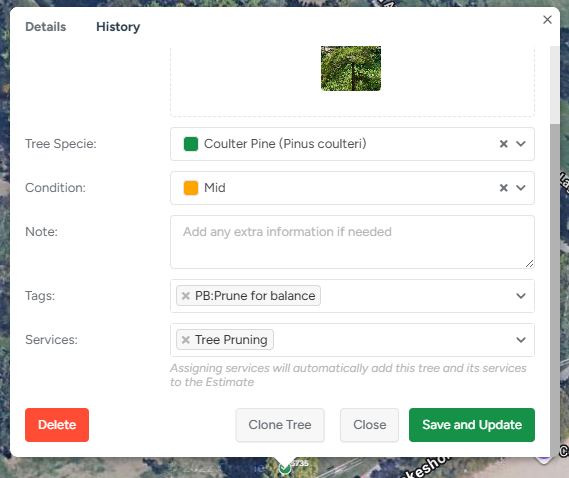
Tree→to→estimate automation
| Assigning services to a tree now automatically adds that tree to the Estimate when you save, eliminating extra steps. The Save button now has a dynamic label that's changing depending on context:
|
 |
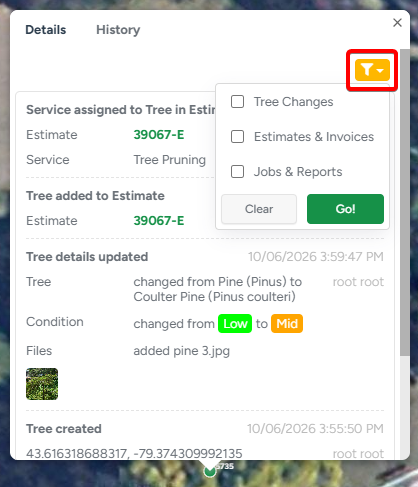
Filters in Tree history
| Tree History now includes event type filters, making it easier to find specific changes without scrolling through the entire timeline. Quickly narrow down historical records to the events that matter most, improving navigation experience as tree histories grow over time. |
 |

Searchable Tree Species Selection for the app
| Based on customer feedback, we've added 🔎search to the Tree Species selector in the mobile app. Finding the right species is now faster and more intuitive, helping crews spend less time scrolling through long lists and more time getting work done. |
 |
Additional safeguards for tree management
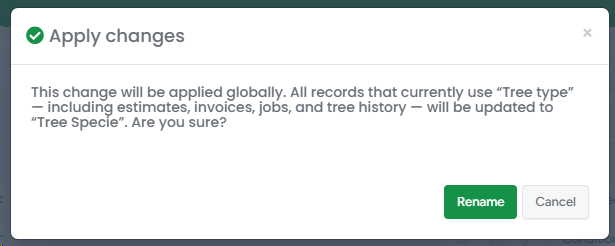
| To help prevent unintended changes, users will now see a warning before renaming a Tree Inventory field option. This makes it clear that the update will affect all existing records, giving users the information they need before applying a change. |
 |
Other improvements
Collapsible service description
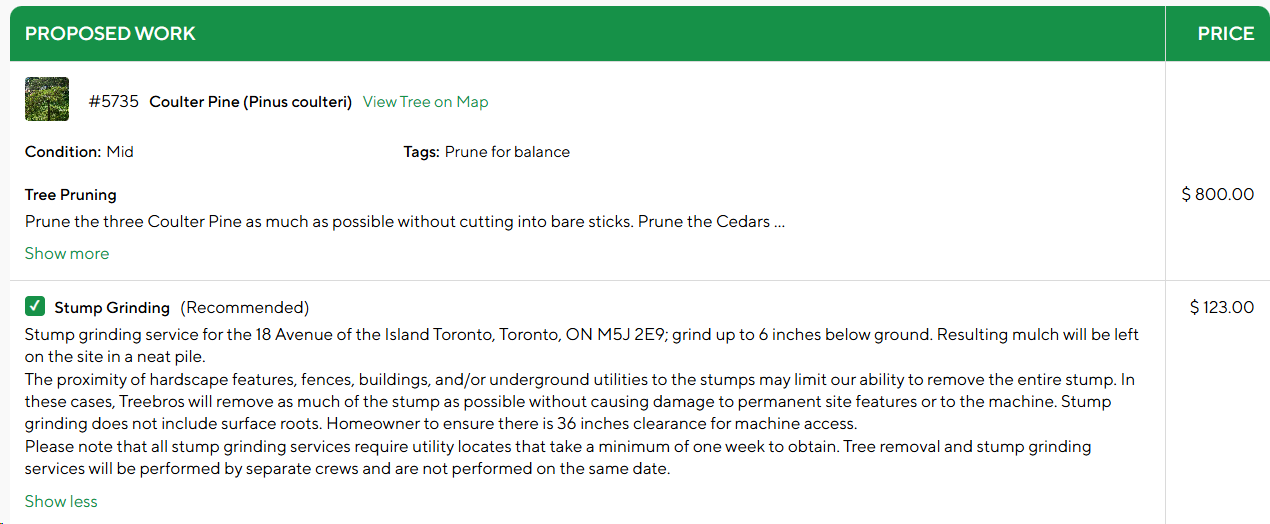
Service descriptions can now be collapsed and expanded on demand, making proposals easier to navigate and reducing page length - especially for mobile users.
Only Invoiced Services on the Invoice Map
The Invoice Map View now displays only the services included in that specific invoice, providing a clearer and more accurate representation of the work being billed.
Cloned Tree pin position fix for the App
Before this update, when creating or cloning a tree and moving its pin on the app map, the pin didn't always appear at the exact location where it was placed.
Read more App and Web
Modernized Settings UI

As user interfaces continue to evolve toward cleaner, more organized designs, we've refreshed the Settings page with a new card-based layout. Related options are now grouped together, making navigation more intuitive, reducing visual clutter, and helping users find the settings they need more quickly. |
 |
See Your Entire Operation in One Calendar
Keep office and field operations aligned with a single, consolidated view.
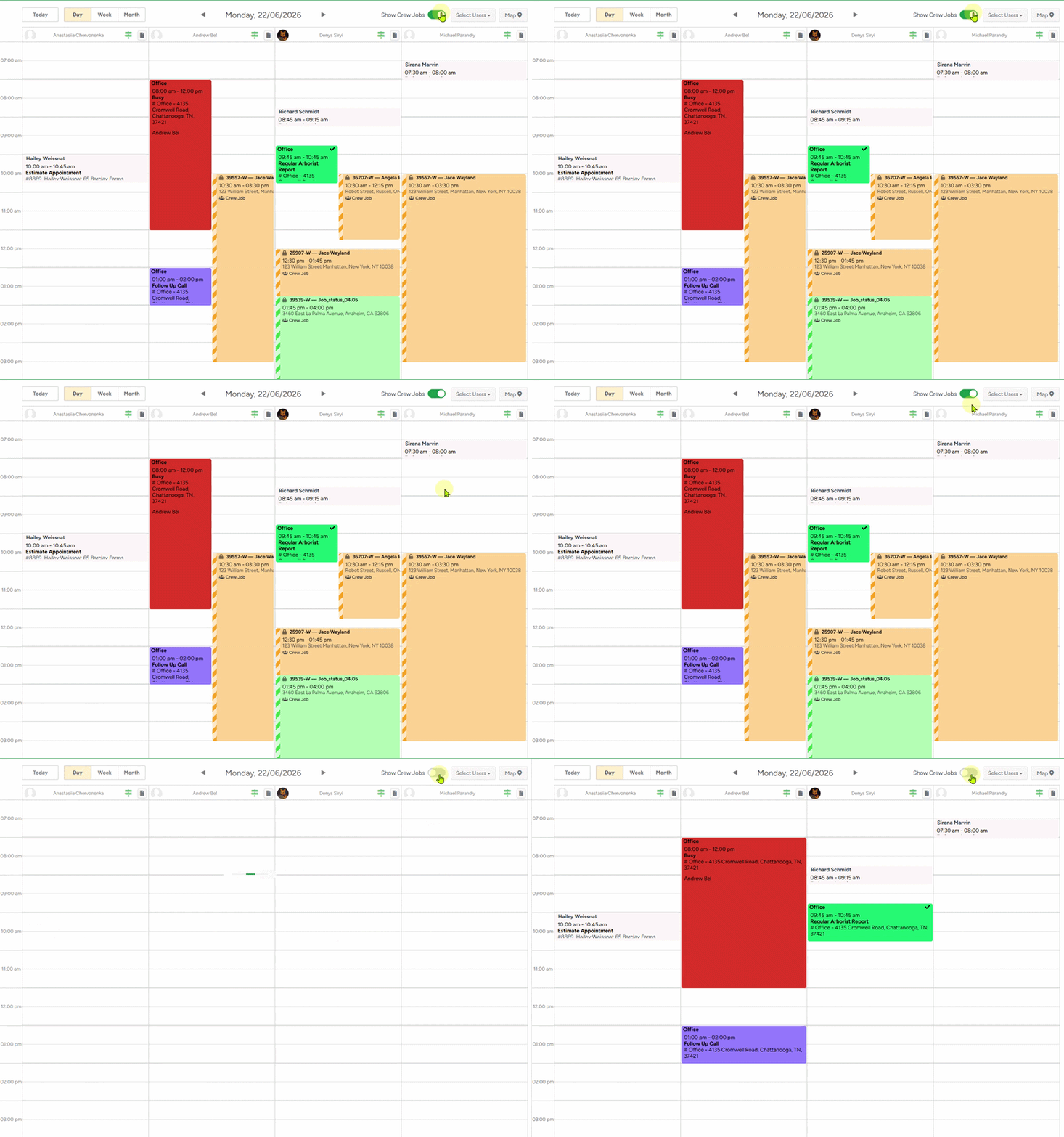
This update brings unified scheduling visibility for your office managers.
Crew Schedule jobs now appear directly on the Office Schedule as read-only events, giving office staff instant visibility into field activities without switching between calendars.
This prevents overlapping appointments across the organization.
Other updates and fixes
Push notifications updates
- Self-Assigned leads will no longer trigger a push notification.
This applies regardless of how the lead was created — directly or automatically in the background. - Tapping "New Lead Assigned" Notification now opens the Estimate page
When a lead is auto-created as part of an estimate flow and assigned to another user, tapping the push notification should open the estimate - not the empty auto-created lead.
Agenda & Crew Schedule Always Open on Today
The Agenda and Crew Schedule screens in the ArboStar mobile app now always open on today's date when you launch the app - no more waking up to last week's view.
Find your day's jobs instantly, right from the first tap.
Address fixes for Australia and New Zealand
Australian and New Zealand addresses with unit numbers (like 3/8 Waroon St) were getting jumbled up in the system.
Now, the system correctly recognizes unit numbers and puts them in the right spot so they look normal on all your documents
| The address you input | What system will recognize |
| Shop 4, 100 Queen St, Brisbane QLD 4000 | 4/100 Queen St, Brisbane QLD 4000, Australia |
Estimated hours in BI Reports fix
Previously, in Workorder Performance and Job Performance reports, the system didn't account for crew size when calculating Est. Hrs.
This made your productivity and profit numbers look wrong.
Now, the reports automatically factor in your crew size, so your performance data and revenue-per-hour calculations are accurate.
Estimated hours in the Crew Schedule fix
The WO Map on the Crew Schedule and job profiles now exclude Declined and Completed services from the estimated hours calculation.
Office workers will see a more accurate time estimate - reflecting only the work that's still active and pending.
New Payment Option for AU & NZ
Payment processing is now available in Australia and New Zealand
You can now take payments directly through ArboStar. No separate terminal, no third-party app, no exporting invoices somewhere else just to get paid. Charge the customer, see what's been paid, and keep the whole job in one place — from the first estimate to the final payment.