
What Happens When a Customer Pays via ACH
When a customer submits an ACH payment through the Customer Portal:
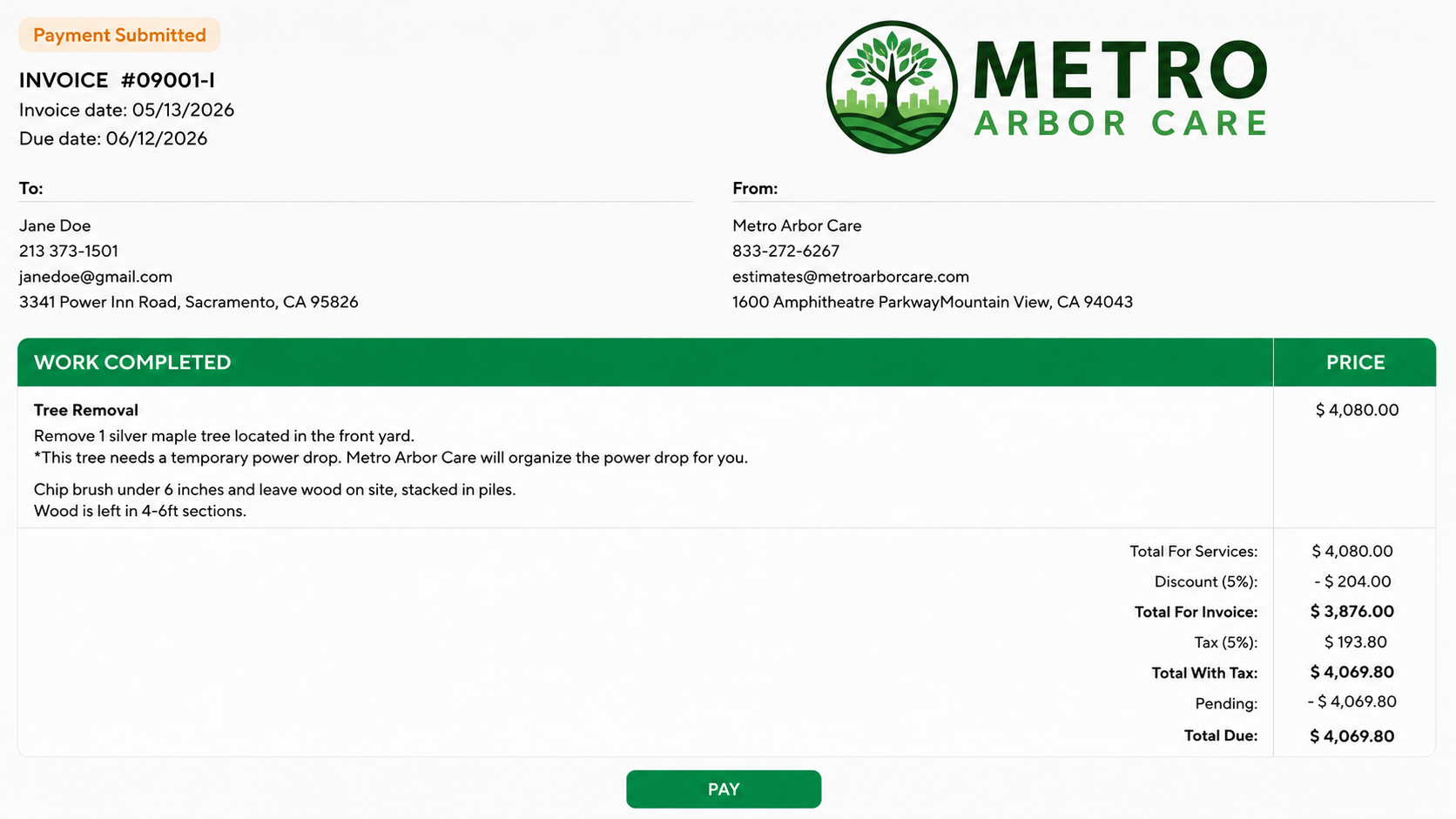
- The payment is immediately submitted for processing
- The invoice or estimate deposit payment enters a Pending status
- Funds are not considered completed until the ACH transaction fully clears through the banking system
ACH processing typically takes 5-7 business days, depending on the bank.
Invoice Status During ACH Processing
When a client submits an ACH payment through the Customer Portal, the invoice status automatically changes from Sent to Pending Payment while the ACH transaction is processing.
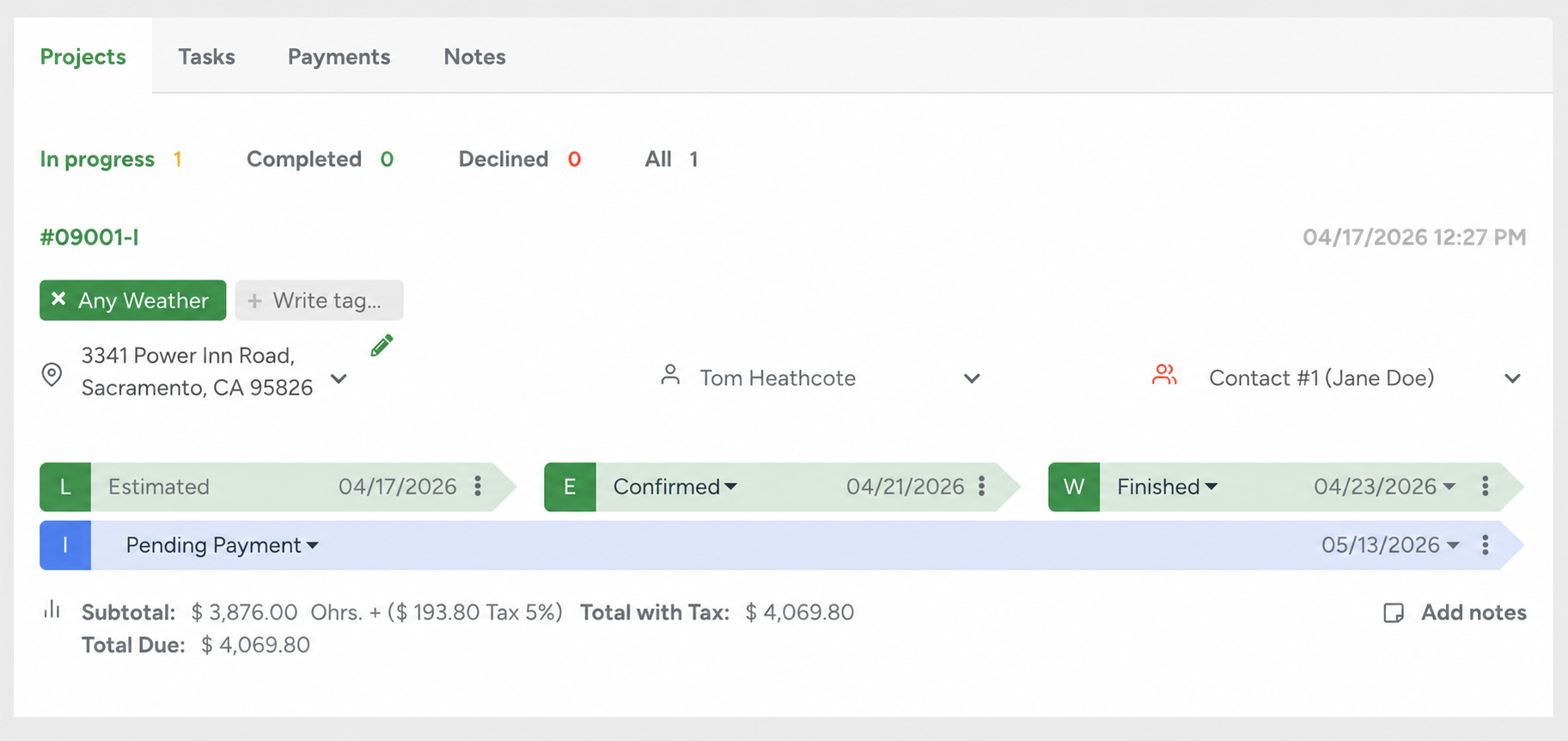
The invoice will remain in Pending Payment status until the ACH payment fully clears with the bank. Once the payment is successfully confirmed, the invoice status automatically updates to Paid.
If the ACH payment fails or is returned by the bank, the invoice status will revert to its previous status.
Viewing ACH Payment Statuses
Inside the Client Profile, open the Payments tab to view ACH payments and their current processing statuses.
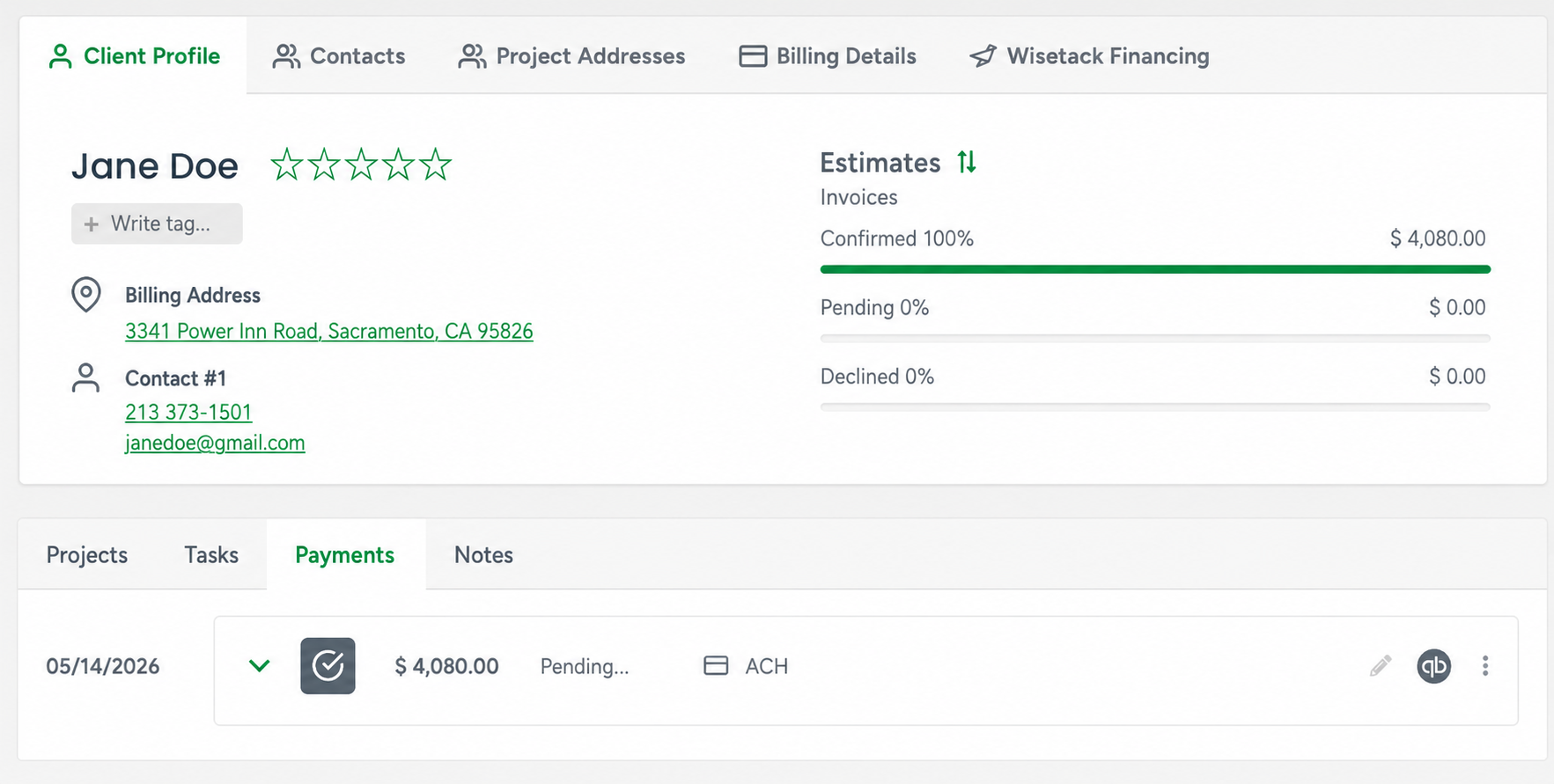
Pending
The payment has been submitted and is currently processing through the bank.
What this means:
- Payment is not completed yet
- Funds have not been finalized
- Invoice status will show as Pending Payment until cleared
Paid
The ACH payment successfully cleared.

What happens:
- Invoice balance updates
- Payment is officially recorded
- Invoice status updates accordingly
If the ACH payment fails, the payment record will be removed from the Payments tab, and the invoice status will revert to its previous status.
If ACH is used for an Estimate Deposit:
- When a client pays an Estimate deposit using ACH through the Customer Portal, the Estimate is automatically Confirmed immediately after submission.
- A Workorder is also created right away so scheduling can begin immediately without waiting the standard 5-7 business days for ACH processing to complete.
- If an estimate deposit payment is declined, the estimate and related records will remain unchanged. However, the deposit payment will automatically be removed from the Payments tab, and the invoice total will update accordingly. Both the company and the customer will also receive an email notification stating: “Estimate #1234 deposit payment declined.”
Email Notifications
Emails Sent to Customers
Customers may receive email updates such as:
- Payment submitted confirmation
- Pending ACH notification
- Payment completed confirmation
- Failed or declined payment notification
These emails help keep customers informed throughout the ACH process.
Emails Sent to Your Company
Your company may also receive notifications when:
- An ACH payment is submitted
- A payment clears successfully
- A payment fails or is declined
Where to Find ACH Payment Information
You can view ACH payment activity from:
- Customer payment history (Payments tab)
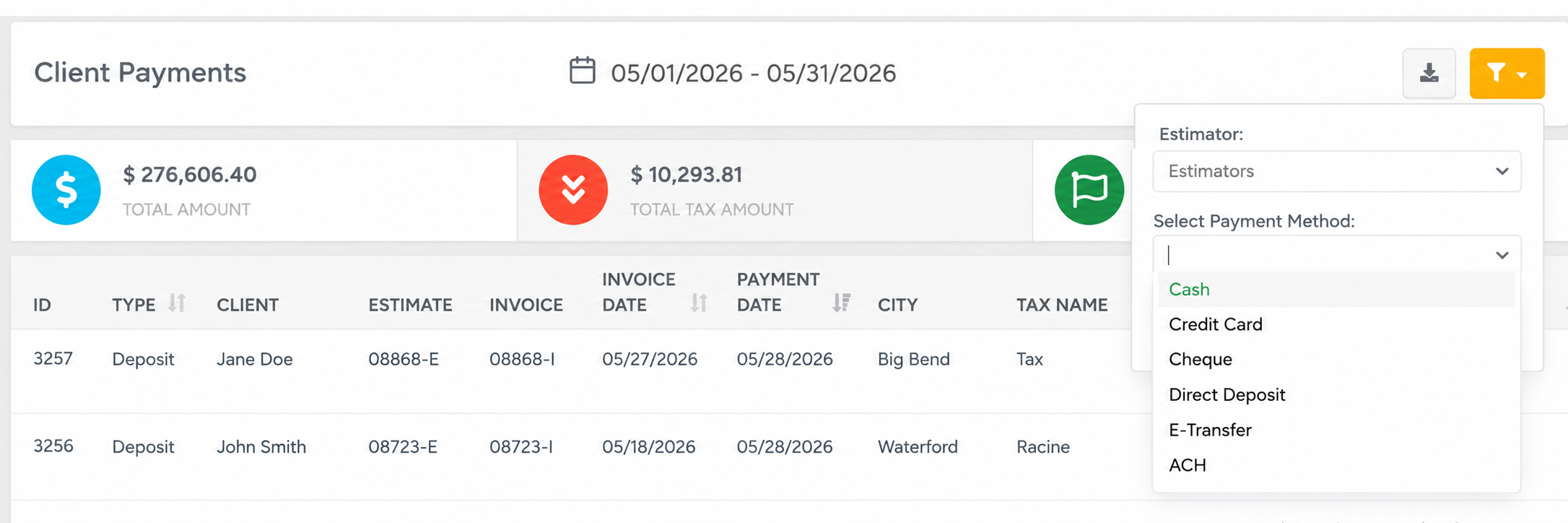
- Business Intelligence - Accounting - Client Payments
- Set the filter to show certain payment methods
Important Things to Know
- ACH payments are not instant
- Pending does not mean failed
- Processing time depends on banks and business days
- Weekends and holidays may delay processing
- Customers may still see balances until the payment clears
- If the ACH payment fails, the payment record will automatically be removed from the Payments tab
- Pending ACH payments now temporarily protect invoices from overdue workflows until the bank confirms or rejects the payment.
Best Practice
When accepting ACH payments, it is recommended to let customers know that:
ACH payments may take several business days to process
Their payment may temporarily appear as Pending (typically 5–7 business days)
They will receive confirmation updates during processing
They can continue making additional payments through the invoice portal even if previous ACH payments have not fully cleared yet
The remaining balance shown in the invoice portal will update only after ACH payments or deposits have fully cleared, so customers may continue seeing the current total due while payments are still processing
This helps reduce confusion and improve customer confidence during the payment process.