App Settings
Updated September 18, 2026

The settings page is where you can access all of your app-specific configurations, like UI language, notifications, biometrics, font size, cache, etc. You can open this page from the sidebar menu. |
General settings
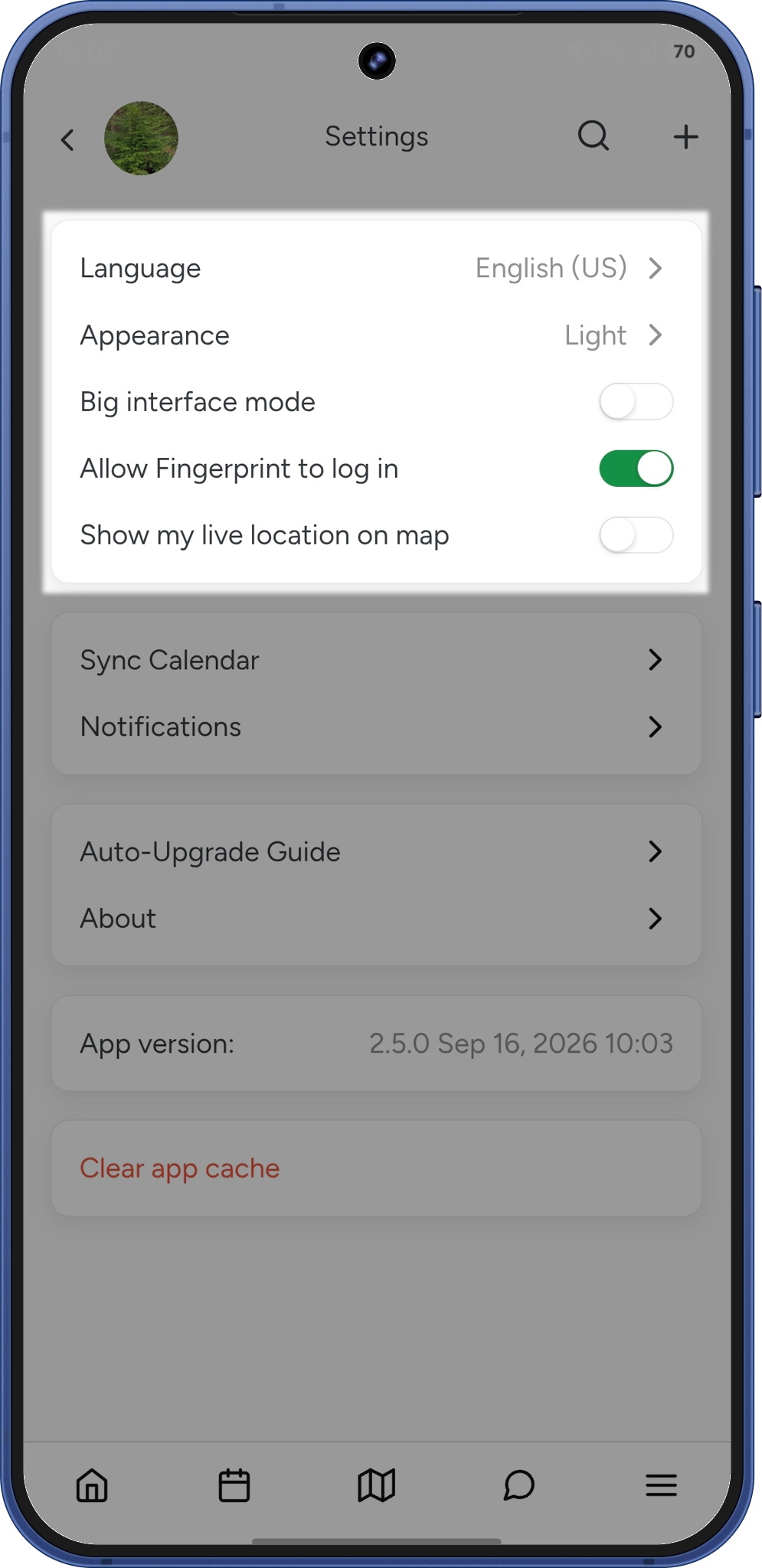
In this section, you can see links to various app settings, such as:- Language - ArboStar supports English, French, Spanish, and Arabic
- Appearance - light / dark themes
- Big intefrace mode - for better visibility
- Biometrics - face id / touch id for security and convenience
- Show my live location on the map - if on, it allows you to see the GPS marker of your location in real time on the map.
|
Calendar sync and notifications
In this section, you can, sync the office schedule to various calendars (Google Calendar, iCal, Outlook), and set up push notifications*.
- New Message in Chat:
Redirects you to your internal chat threads the moment a colleague reaches out. - Stop Time Tracker (Estimator only):
Receive a notification if the system automatically clocks you out based on a setting in the user management. - Estimate Confirmed by Client (Estimator only):
Get notified immediately when a client confirms an estimate via the Portal. - New Lead Assigned* (Estimator only):
A new alert with a built-in 1-minute delay to ensure you only get notified of finalized lead assignments. - Office Task Reminder (Estimator only):
Receive a notification before your assigned tasks begin. - Undelivered Email (Estimator only):
Get an alert if an email fails to deliver.
|
*If an Estimator created and assigned a lead to themselves a push notification is not sent to their account.
About app and clear cache
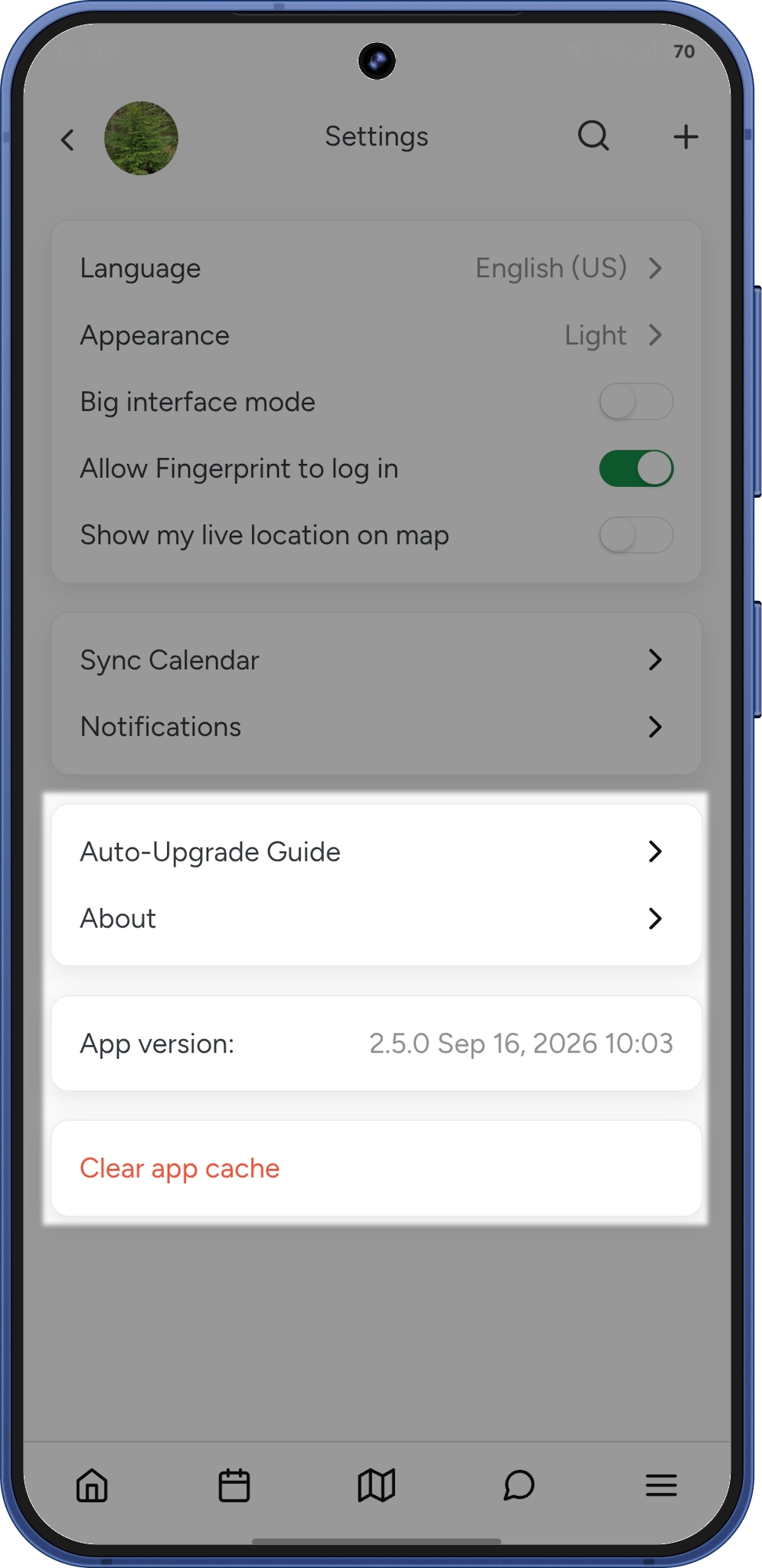
In this section, you can find information about the app, guides* on how to optimize your phone settings for ArboStar's smooth performance, verify app information, and clear the cache**.
Clearing the cache might be useful in a variety of situations where the app behaves differently from how it's supposed to.
Overall, it is the first troubleshooting step for any glitch you might encounter on the app.
|
*Arbostar app requires "work in the backgound" permissions on your phone to utilize all app functions to the fullest extend.
**After clearing app cache you will be logged out of your app
Did this answer your question?