
This release introduces an entirely new Customer Portal, along with improvements to Tree Inventory, billing and payments, estimating, and the mobile app.
The new Customer Portal
A real workspace, not just a link. Clients log in once and see everything in one place — Requests, Estimates, Invoices, Events, and Shared Access. Companies running multiple brands keep each brand's data, domain, and styling fully separate, so a client only ever sees the brand they belong to.
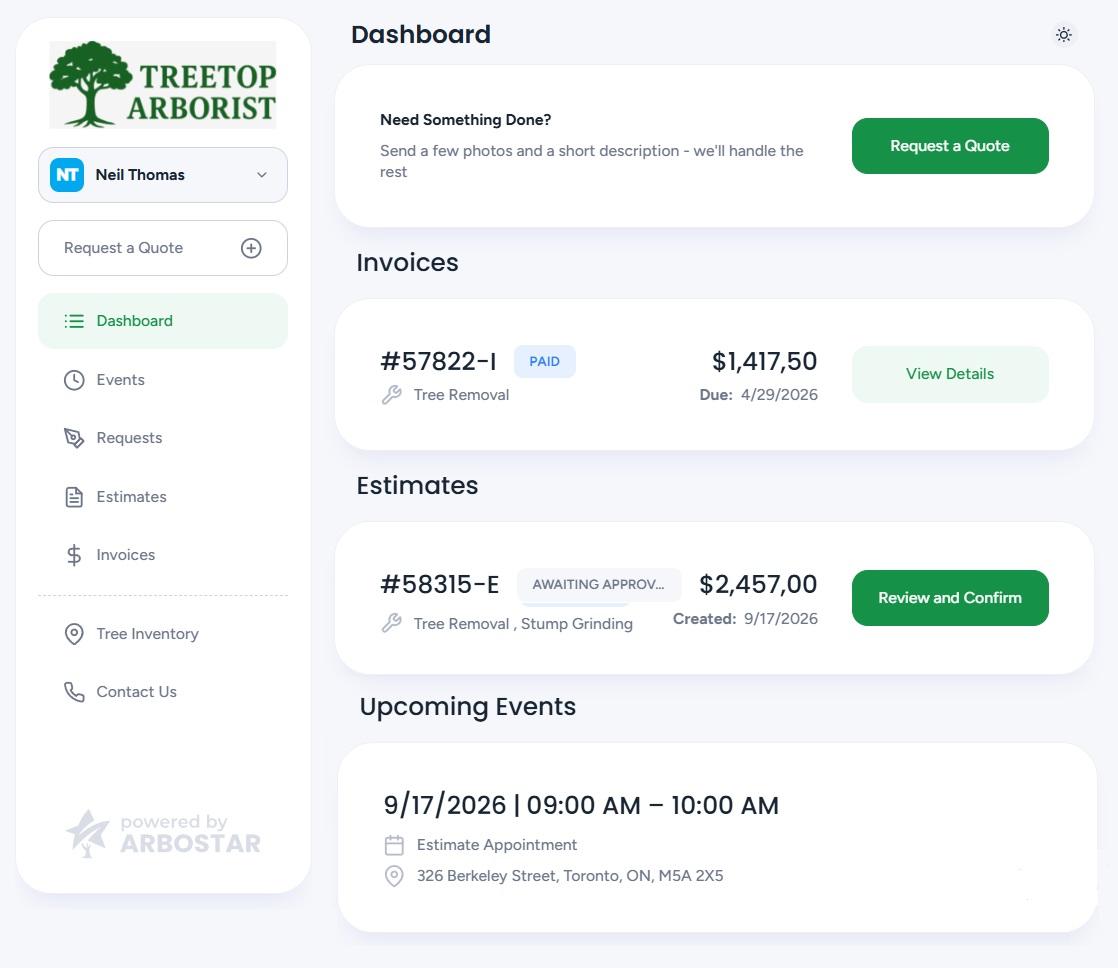
Sign-in and access
- No more passwords. Clients sign in with a one-time code by SMS or email, or a magic link that works across devices, with the option to stay signed in on a trusted device for 30 days.
- One login, every profile. Clients with multiple accounts under the same brand choose the one they need after a single sign-in — accounts tied to other brands stay out of view entirely.
- A guided path when no account is found. If an entered phone number or email doesn't match a brand's records, the client sees a clear message right away, with an optional "Contact us" link the company can configure — no code is sent needlessly.

Dashboard and requests
- One clear view of what needs attention. The dashboard highlights the single most relevant item — an overdue invoice, an estimate awaiting approval, or an upcoming appointment — alongside a running feed of recent activity.
- Requesting service takes seconds. Clients submit a new request with a description, service selection, and photos, and track its status from Pending through to an estimate — all from the same screen used to request a quote.
- Upcoming visits and jobs, always visible. Scheduled estimator visits and crew jobs appear as Events with date, time window, and location, with optional contact details for the estimator or crew leader.
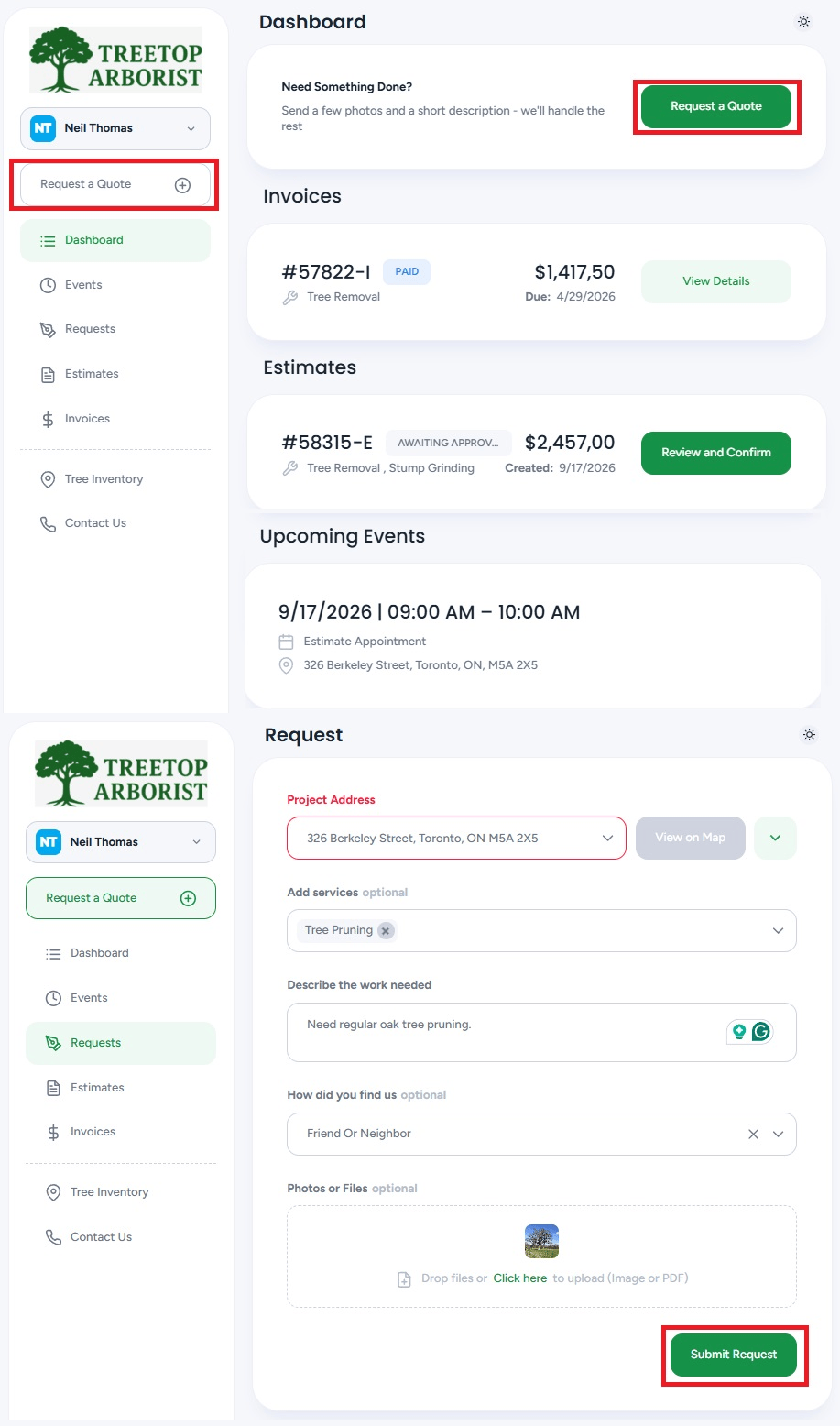
Estimates
- Review and confirm in one place. Clients can review proposed work, download a PDF, and confirm the estimate — with signature capture and deposit collection when a company requires them.
- A direct line for changes. Clients can request adjustments to an estimate — adding services or describing what they'd like changed — without waiting on a phone call, and the estimator is notified instantly.
- Share without requiring a login. Estimates can be shared as a standalone link that lets any recipient view, download, or confirm — no portal account needed.
Invoices and payments

- Pay one invoice or several at once. Clients can select multiple open invoices and pay them together in a single transaction, with one combined total.
- Flexible ways to pay. Credit card, ACH, and Wisetack financing are all available where enabled, along with optional tipping on the payment screen.
- A quick word after payment. An optional post-payment prompt lets clients share quick feedback and leave a review, right after paying.
- Share without requiring a login. Invoices can be shared the same way as estimates — view, download, or pay from a standalone link.
Tree Inventory in the portal
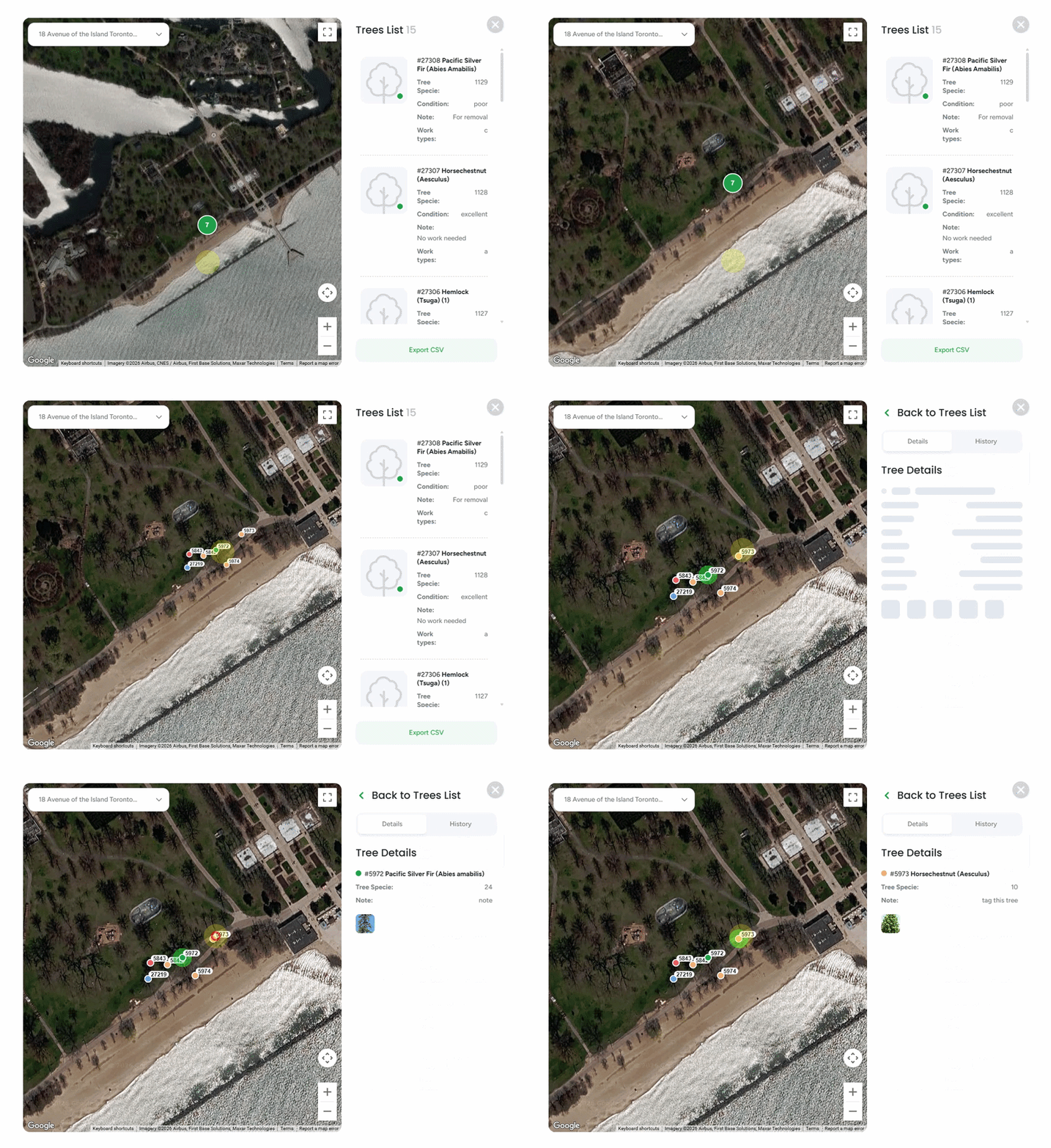
- An interactive view of every tree. Clients with a tree inventory can browse their trees on a map with numbered, color-coded pins, switch between satellite and map view, and open any tree for full details and photos.
- A complete history, at a glance. Every tree's timeline shows what's changed, what's been proposed or invoiced, and what work has been completed — filterable by category.
- Export in one click. Clients can export their full tree list to CSV at any time. You control exactly which fields are visible, from Tree Inventory Fields Management → Show to Client.
Shared access and personalization
- Bring others into the conversation. The primary contact can grant portal access to other contacts on the account, who can then submit requests and stay in the loop without full account access.
- Their language, their preference. The portal is available in English, German, French (Canadian), and Spanish, with a day/night theme toggle available on every screen.
Full control for your team
Every brand gets its own Customer Portal settings — sign-in methods, sharing permissions, tipping, staff contact visibility, and which sections clients see — so the experience can be tailored company by company without any development work.
Tree Inventory
Import trees from a spreadsheet. Upload a CSV or XLSX file with up to 5,000 rows, map your columns to ArboStar fields — common headers like lat, species, or condition are recognized automatically — review a validation report, and create the batch in one step. A template ensures the right format from the start, and every import is logged with a downloadable history and one-click undo.

Export tree inventory data for commercial clients (KMZ format). Export your tree inventory to KMZ with one click for use in Google Earth, Google My Maps, or QGIS — a format increasingly required for municipal, campus, and HOA contracts.
Trees in Bulk Renewal. Tree-assigned services now work seamlessly within Bulk Renewal: filters, pricing, and totals all account for them, and carried-over trees keep their original inventory link and history.
Billing & Payments
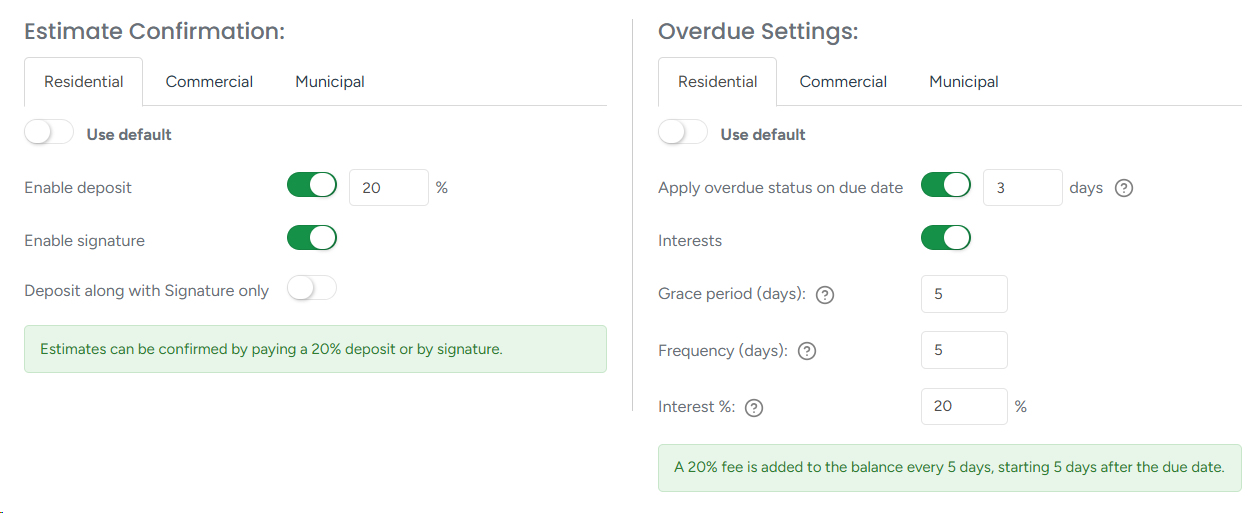
Flexible overdue and interest rules. Configure due dates and interest charges at four levels — Company, Brand, Client, and Invoice — each able to override the level above. A plain-language summary shows exactly what's configured, and a live timeline on every invoice tracks Created, Due Date, and Interest.
Deposit rules, configurable by level. Deposit and signature requirements now resolve through Estimate, Client, Brand, and Global settings, with live inheritance until the estimate locks in its values.
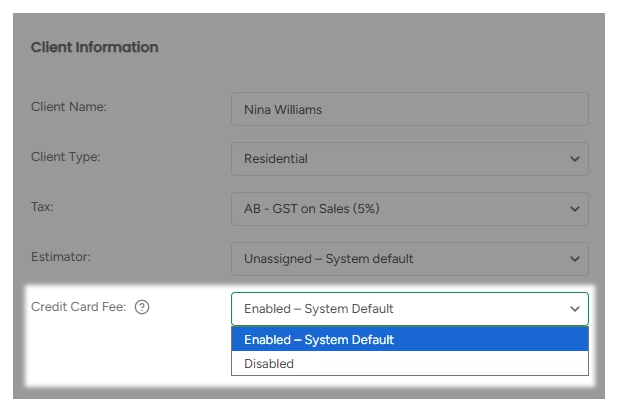
Flexible credit card fees. Enable or disable the credit card fee by client or brand. Disabling it removes the fee from the payment modal, invoice, and portal instantly, and every change is logged for full visibility.
Expanded payment processing. Payment processing is now available for our UK and European clients, with local currency support and secure card verification.
More complete payment reporting. The Payments dashboard now shows totals and payment-method breakdowns for any selected period, and Client Payment exports include additional columns — City, Tax Name, Tax Amount, Transaction Fee, Tips, and Total Amount — matching the on-screen view.
Smarter Estimator Assignment
Automatic assignment, on a clear hierarchy. Lead → Client → Brand → Global. Set a company-wide default, override it by brand or client, or assign one manually on an individual lead — every change is tracked in the activity log.
If a default estimator leaves the company, ArboStar automatically updates the affected settings so new leads are never misassigned.
Language Localization
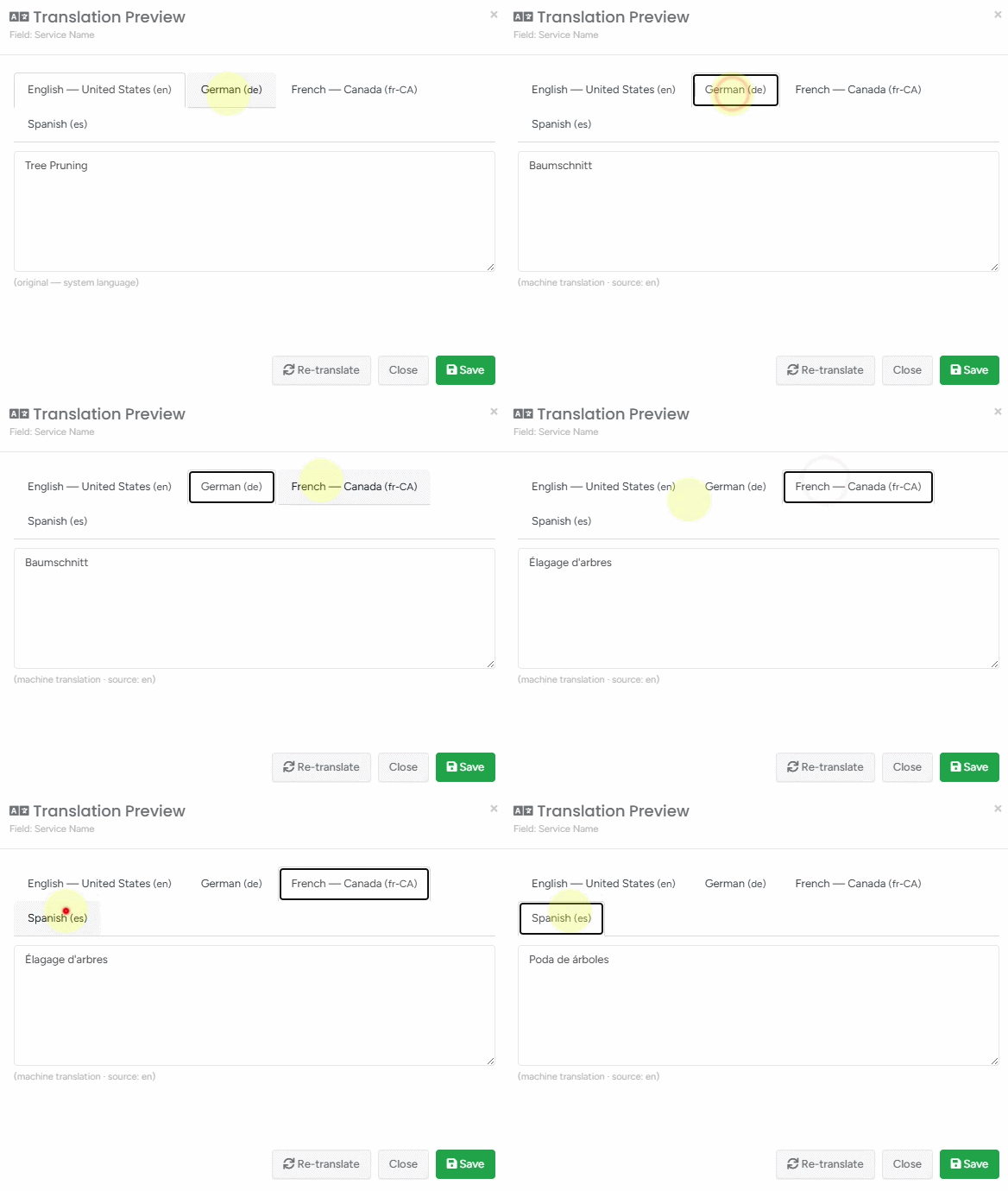
ArboStar now fully supports German — across the mobile app, Customer Portal, PDFs, and system emails — with correctly localized dates, times, and currency. Customer communications are also automatically translated into French (Canadian) and Spanish, with a built-in arboricultural glossary keeping trade terms accurate.
Mobile App
Field forms built to hold up. Forms now save automatically as drafts, work fully offline with automatic sync when signal returns, and never lose data when a crew member navigates away. Required forms reach the crew automatically on next login. Incident and repair reports now support up to 10 photos or PDFs.
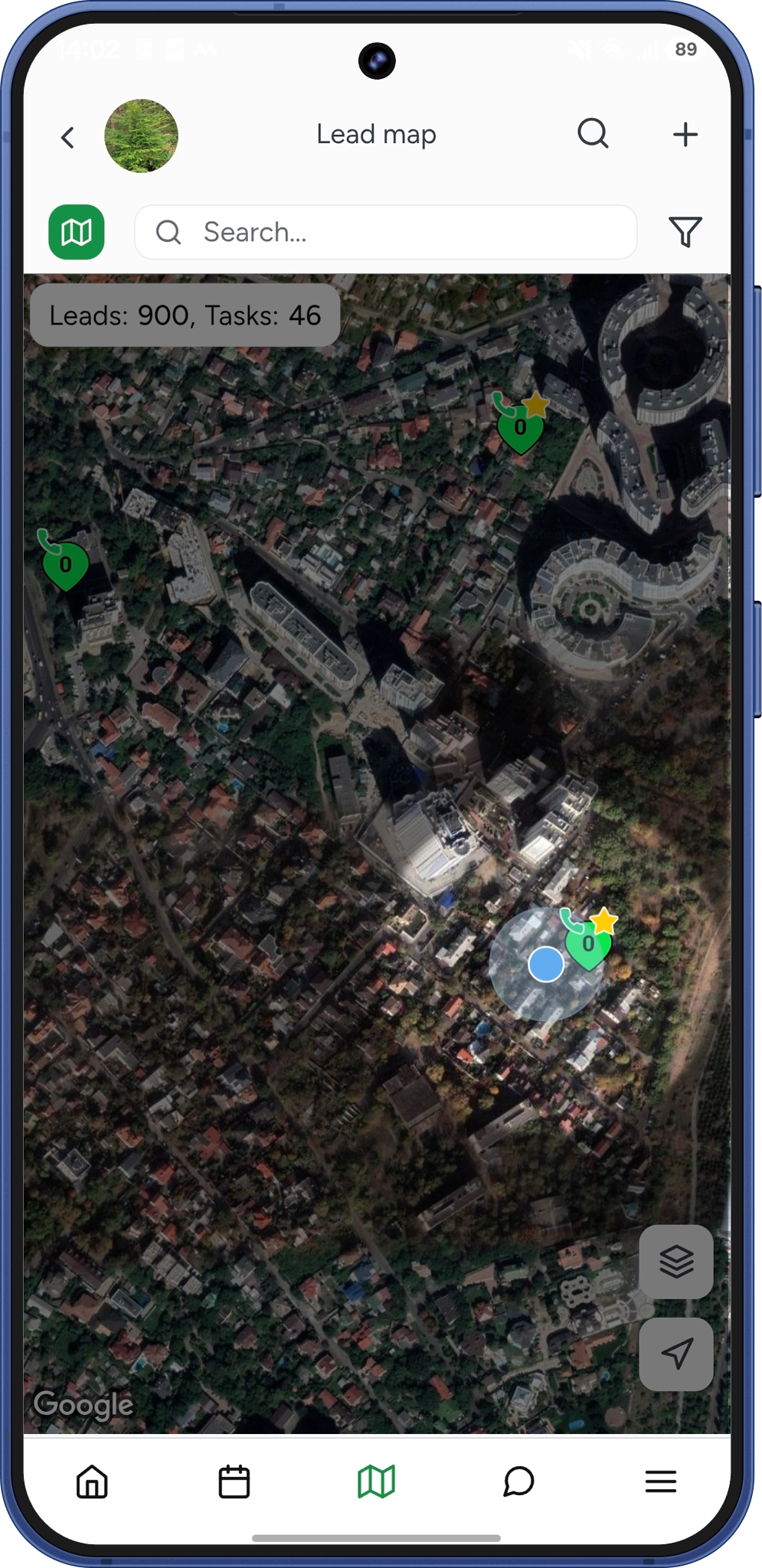
Improved GPS accuracy. GPS tracking is now even more accurate end-to-end — invalid coordinates are filtered automatically, offline location data syncs once reconnected, and route tracking resumes seamlessly after any interruption. Live location on the map. An opt-in setting lets workers share their live location on the Lead Map and Tree Inventory map while en route, with a My Location button for quick orientation. |
 |

Clearer Project Scheme maps. Switch between Satellite and Map view and toggle street names directly from the map layers panel — your preference is remembered on the device and included in screen captures. |
 |
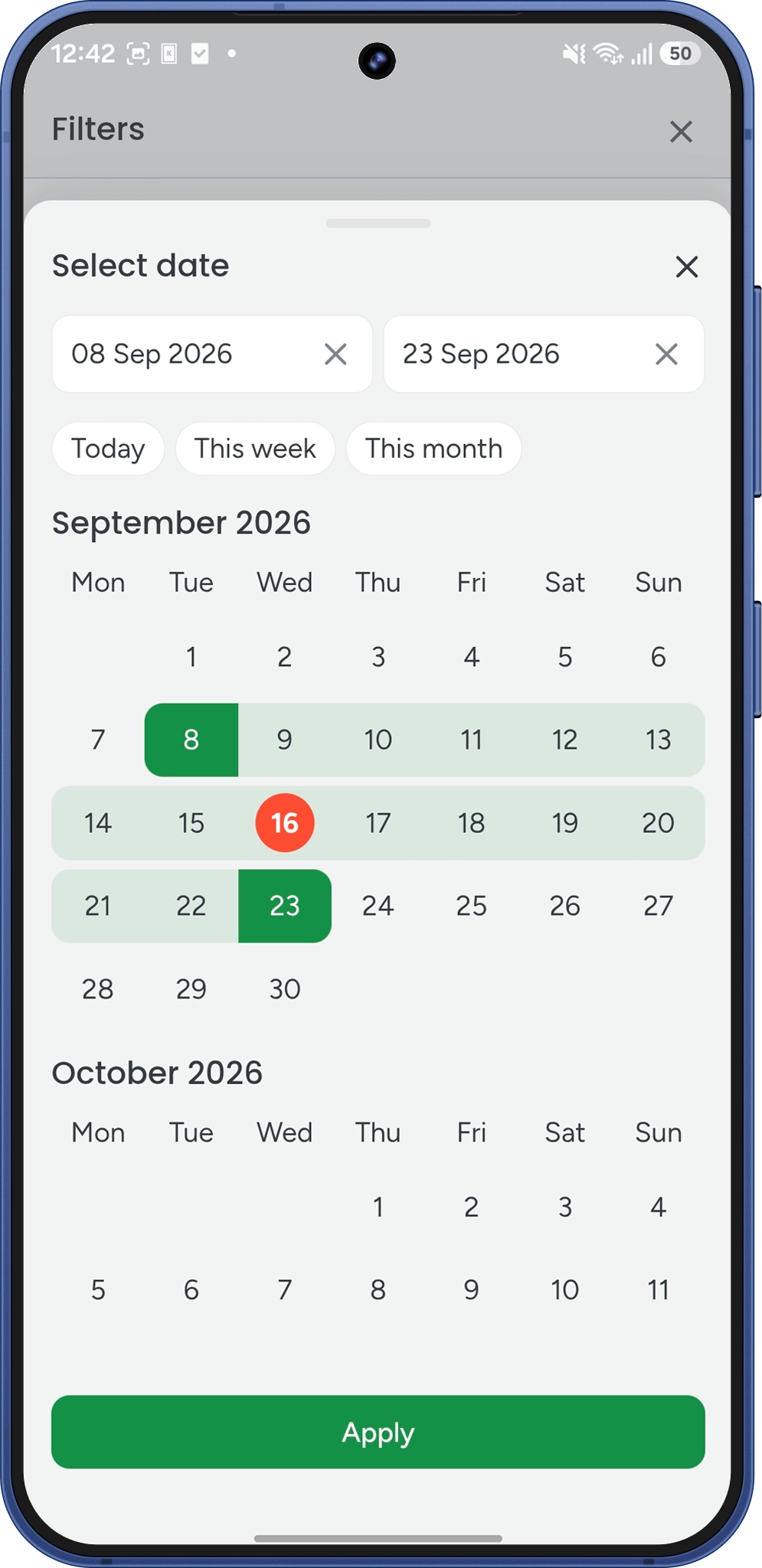
Redesigned calendar. The Task list date filter is now a full calendar view, with continuous month scrolling and one-tap shortcuts for common ranges like Today or Last 7 Days. |
 |
Additional Updates
- Check your accounting sync at a glance. The Client Payments report now shows, for each payment, whether it has reached your accounting platform. You can filter the whole list by sync status, so finding everything that still needs attention takes one click rather than a scroll.
- Give your controller access without making them an admin. Your bookkeeper or controller can now open the Accounting reports in Business Intelligence without being given admin rights across the whole platform. It's a single permission on their user profile.
- Set a default account for portal payments. When a customer pays through the Customer Portal, the payment can now land in the accounting account you choose, automatically.
- See what you actually collected, right on the Dashboard. Your Productivity Pulse tracks clients, leads, estimates, work orders, and invoices. It now tracks payments too.
- A smoother way to work through your jobs. Tick a service off, and the item glides away to the Done tab, and the Done count ticks up as it goes. Also, the To Do and Done tabs now stay pinned at the top of the screen, especially useful on a big job with a dozen trees and their services.
See and correct when a job was completed. If the completion date of a job needs correcting, admins can click it and pick the right date right away. The change is noted on the client profile too, so there's a record of what was adjusted.
Your Crew Schedule filters stay yours. Set your view the way you like it, by team leader, by member, by crew, and it's there when you come back: after navigating away, after closing the tab, after logging out and in again.
Sage Intacct integration. ArboStar now connects directly with Sage Intacct, alongside QuickBooks and Xero, keeping financial records in sync with completed work — no manual exports or re-entry required.
- Navigation history persistence. The app now remembers your place between sessions, so returning to an estimate takes you to the exact screen you left.
Job Access permission consistency. The Add Additional Work to Job Access permission now applies consistently across all access levels.
Questions about any of these features, or want a walkthrough for your team? Reach out to your ArboStar contact or tech support: support@arbostar.com.