
This release delivers powerful upgrades to how you track where leads come from and understand what actually drives sales. It also introduces stronger security with biometric login and SMS-based multi-factor authentication, plus Outlook integration and real-time push notifications — all designed to help you close faster, operate securely, and scale with confidence.
Enhanced Lead Source Tracking & Analytics
To give you clearer insight into where your leads truly come from, we’ve expanded Lead Source tracking with a new secondary field: Lead Source Details.
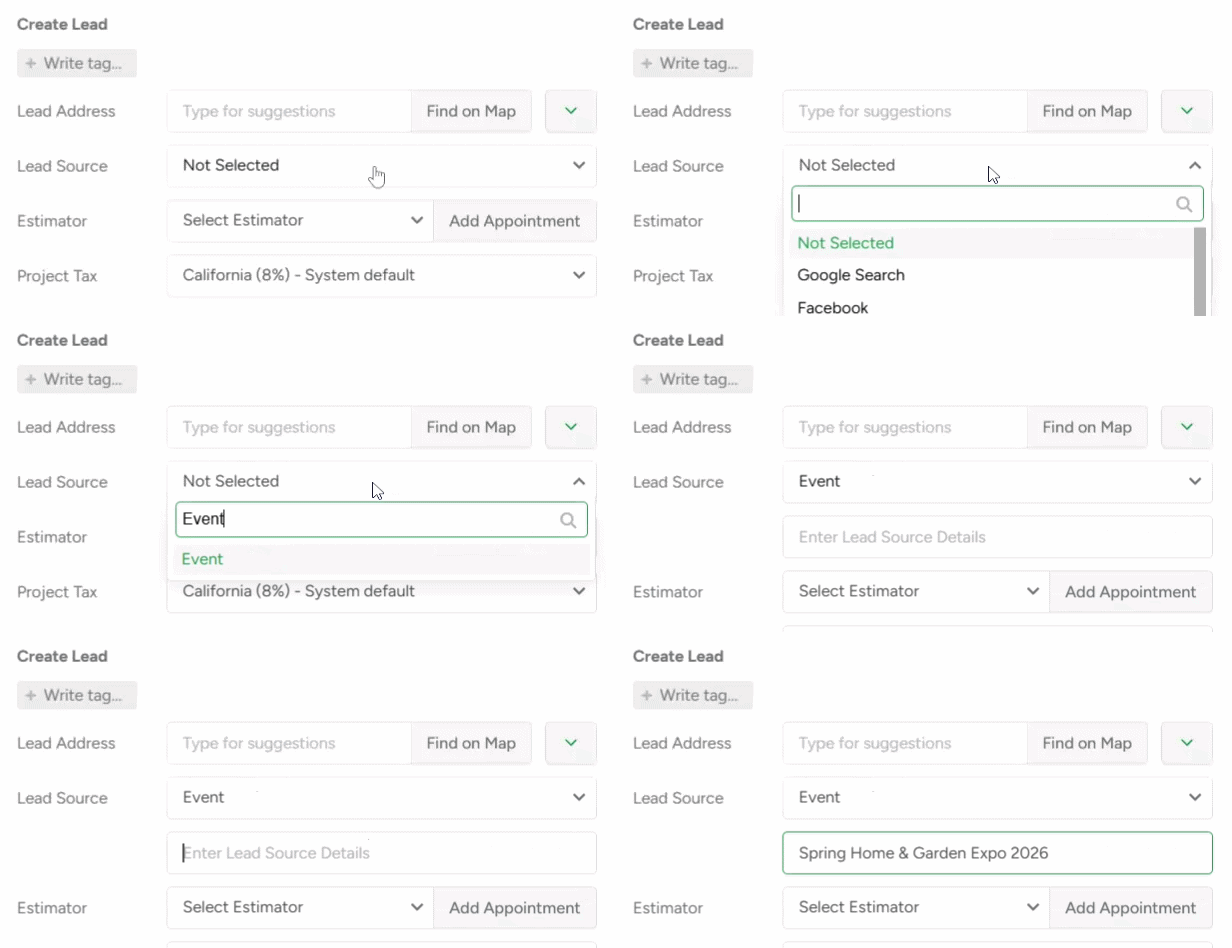
Now, instead of general categories, you capture the real story behind each lead. When enabled, a mandatory text field appears during lead creation — ensuring your team records the exact origin of the lead every time.
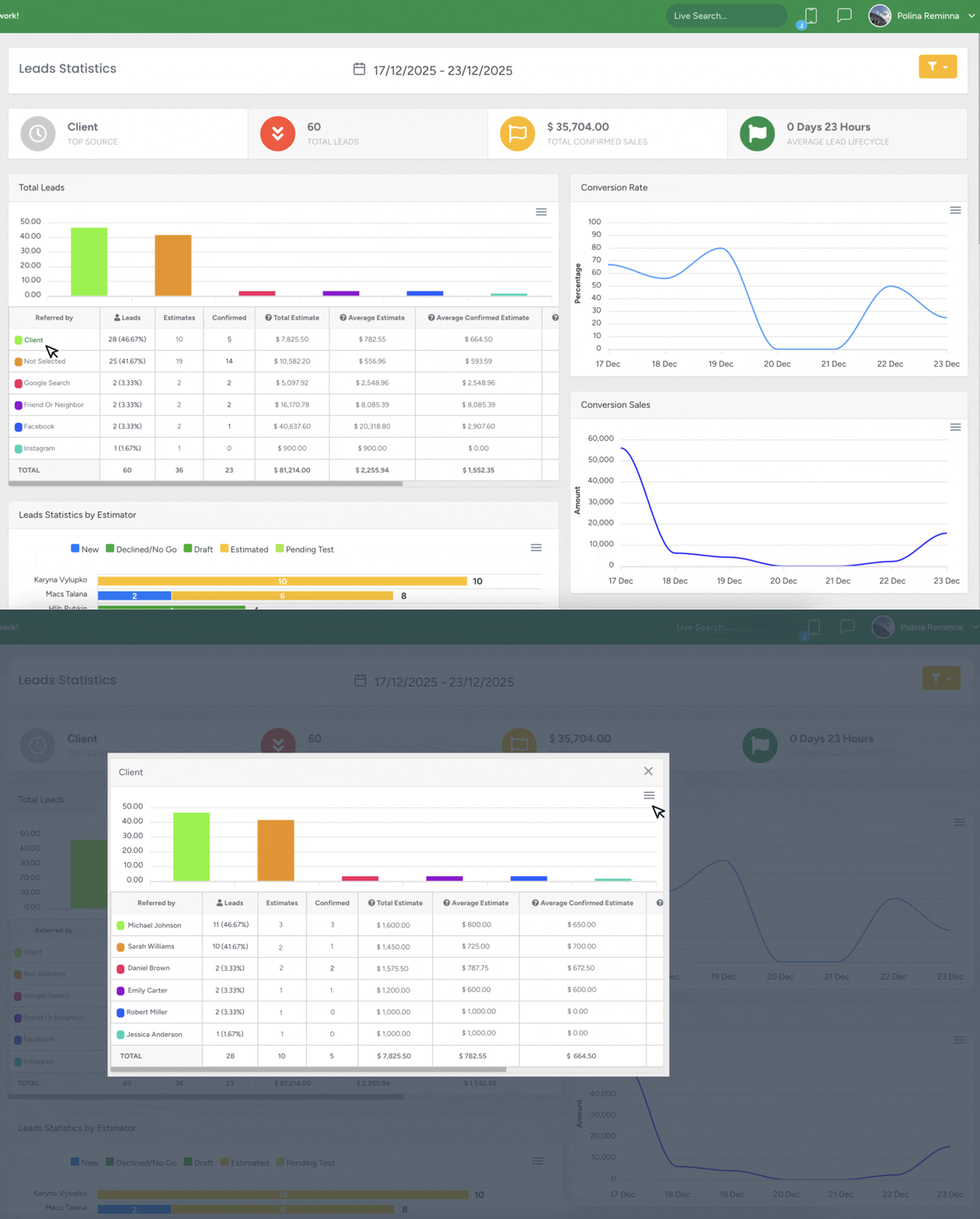
In the Business Intelligence module, you can drill down into any Lead Source with details enabled. Simply click the source to see a full performance breakdown grouped by those specific entries — revealing which ads, neighborhoods, events, trucks, or referral partners actually generate confirmed jobs and revenue.
Improved Request Generation Form
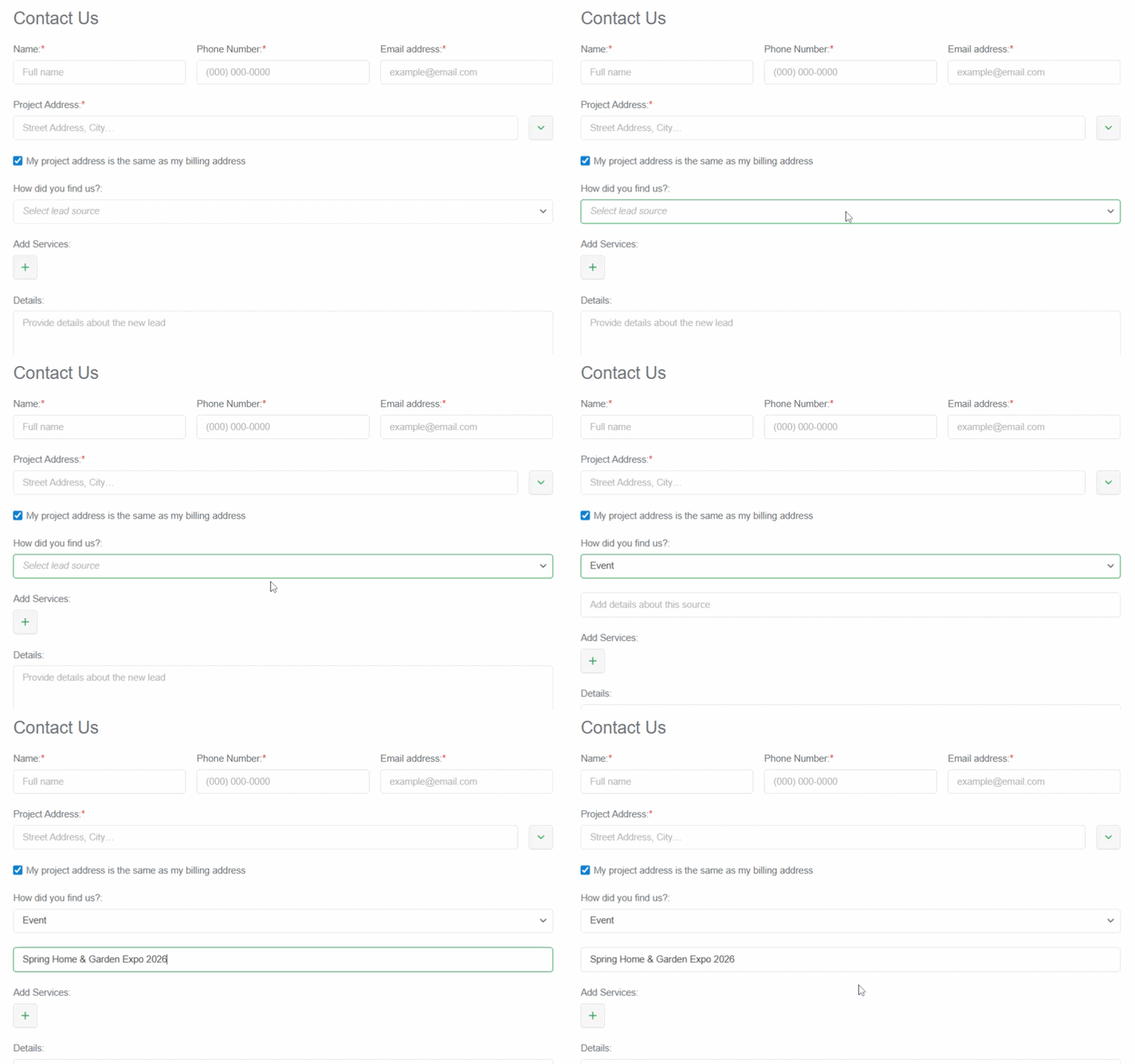
- New “How did you find us?” field: You can now add Lead Sources directly to your website Request Form.
Every incoming request can now carry a structured, trackable Lead Source from the very first interaction — giving you clear insights into which campaigns and channels are generating real opportunities.
- Mobile-friendly layout: Form automatically adapts to any screen
Improved field placeholders: Reduce incomplete submissions for fields like Project Address and Attach Photos or Files
- Custom phone formatting: Displays correctly based on country settings for faster, more accurate entries
Security Advancements - Biometrics & SMS MFA
We made it easier and more secure to access your account across all devices.
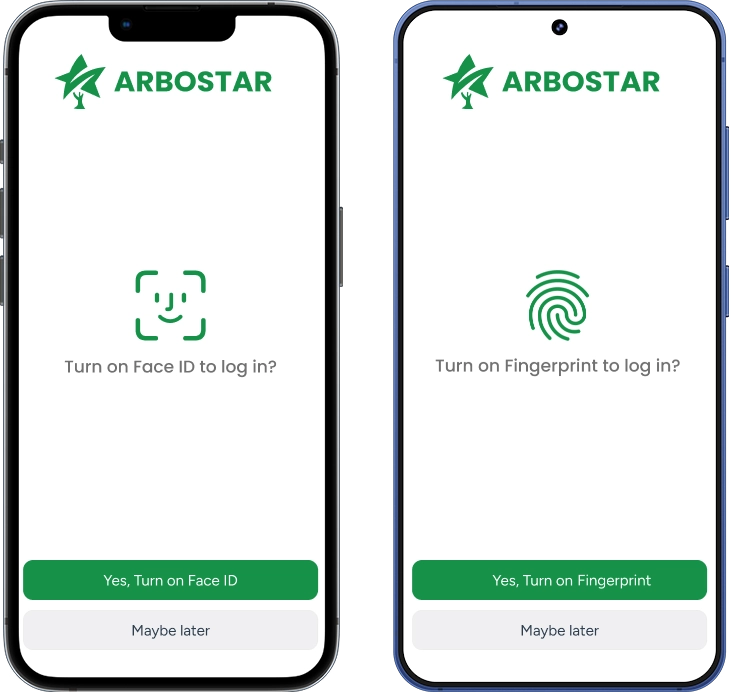
Biometric Login: Use Face ID, Touch ID, and Fingerprint authentication to bypass standard password and MFA prompts after your initial login.
SMS Multi-Factor Authentication: In addition to email, you can now receive your 6-digit verification codes via SMS.
When you successfully verify a device, the system can now remember it, reducing the frequency of MFA prompts on your primary workstation or phone.
Push Notification on the Mobile App
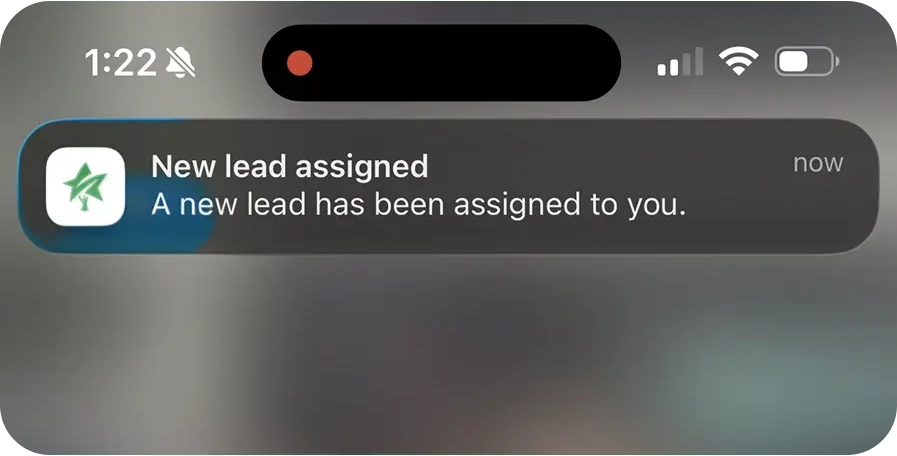
Stay on top of what matters with the all-new Push Notifications page in App Settings. Now you can choose exactly which alerts you want — tailored to your role as an Estimator, Field Worker, or both. Get real-time notifications for New Leads, Estimate Confirmations, Office Tasks, Messages, and more — on your device or in-app, so you never miss a beat. To account for situations where quick corrections or reassignments are needed, the "New Lead Assigned" notification is sent with a short 1-minute delay after the assignment, reducing unnecessary noise and ensuring the alert you receive is accurate and relevant. |
 |
Other Improvements
Crew Schedule – Month View Filters
You can now filter the Month View by Team Leader, Member, or Crew — just like in Week View. Filters stay active when switching between views, making workload planning faster and clearer.
Outlook & iCal Sync for Office Schedule on App
You can now access Outlook and iCal sync directly in the mobile app. Each user now has a personal, secure iCal link to sync their Office Schedule with Outlook, Apple Calendar, and other calendar apps.
Events stay read-only and update automatically — no double entry, no accidental changes.
Project Scheme Improvements
We’ve enhanced flexibility by allowing Project Scheme to be deleted and re-added during Estimate creation, and introduced a Satellite/Map toggle in the app for clearer, more dynamic map viewing.
Tag Creation Permissions on App
The mobile app now fully respects the setting “Allow users other than Admin to add tags”. Non-admin users can select existing tags, but cannot create new ones — keeping your data clean and consistent.