Bulk Renewal – Flexible Project Copying
Bulk Copy is now Bulk Renewal and lives where it belongs: Estimates → Bulk Renewal.
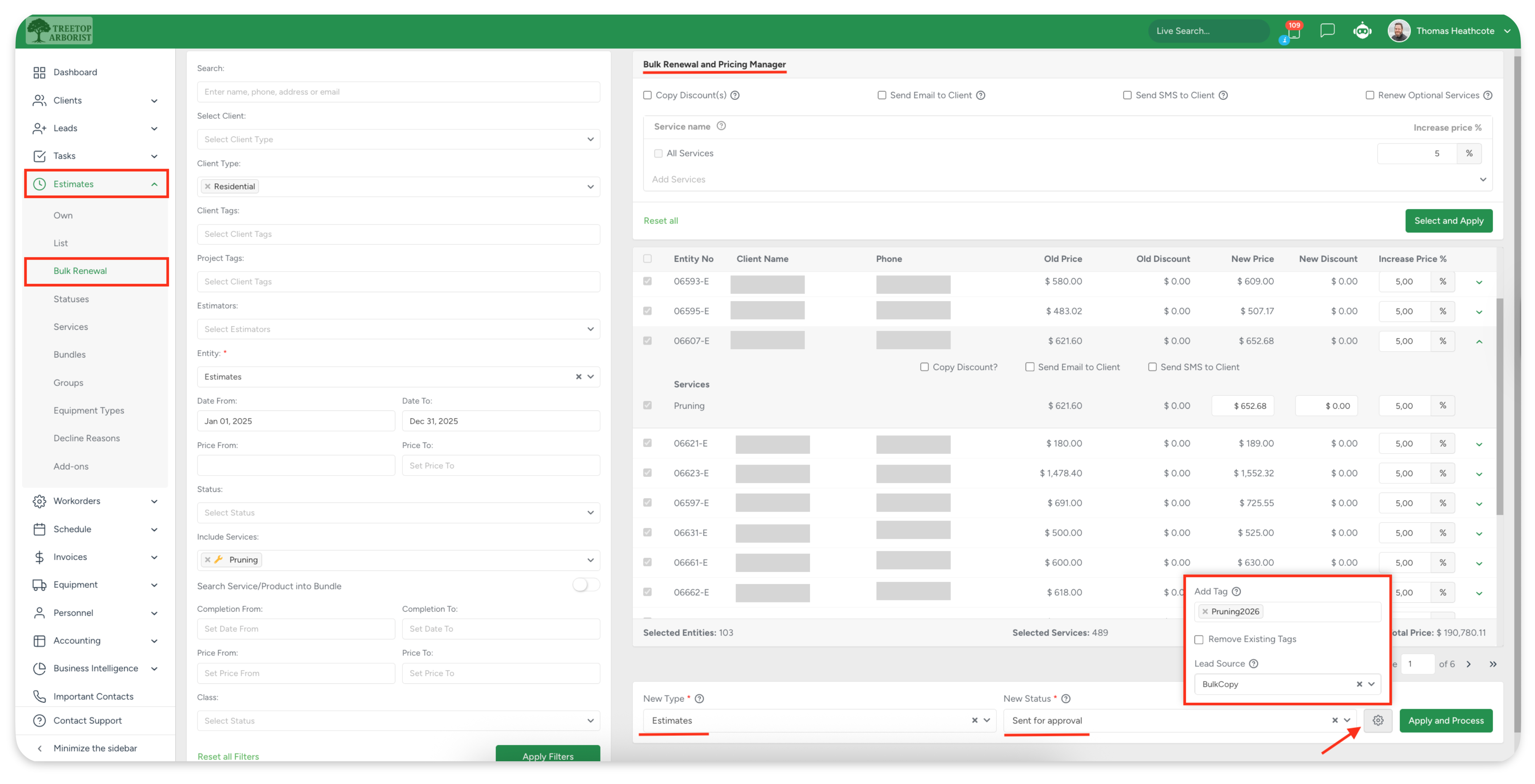
You can now choose what to create during renewal — Estimates or Workorders, regardless of what you filtered before. This gives you full flexibility when preparing renewals, sending estimates, or planning upcoming work.
To keep reporting and lead tracking accurate, you can add or overwrite Project Tags and set a new Lead Source for all newly created projects — ensuring these new Estimates don’t distort historical data while keeping future lead statistics clean.
For example, an office manager can filter last year’s completed tree pruning and hedge trimming jobs from residential clients and renew them in bulk as new Estimates for the upcoming season. During renewal, they can assign a “Spring Maintenance 2026” Project Tag and set a new Lead Source such as “Seasonal Renewal” for all newly created Estimates.
This makes it easy to track how many of these renewals convert, measure seasonal performance, and follow up with clients—without affecting last year’s reporting or historical data.
No surprises. Just clean, predictable renewals.
Crew Size & Man-Hour Accuracy
Crew planning just got simpler — and more accurate.
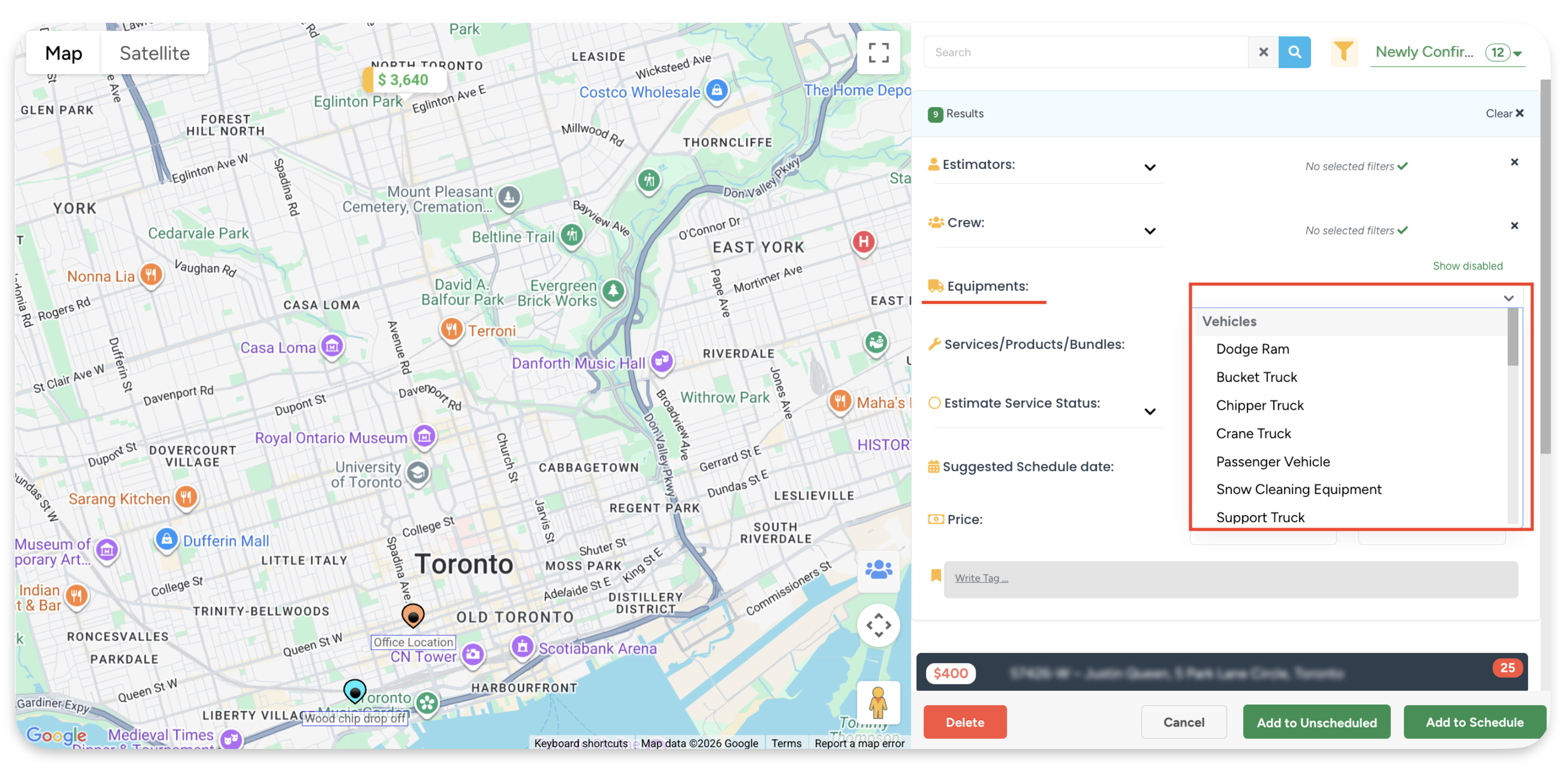
Filter Workorders by Equipment
Vehicles, attachments, and tools are now grouped and filterable on the Crew Schedule, so you can quickly assign the right crew with the right equipment.
Flexible Actual Hours calculation
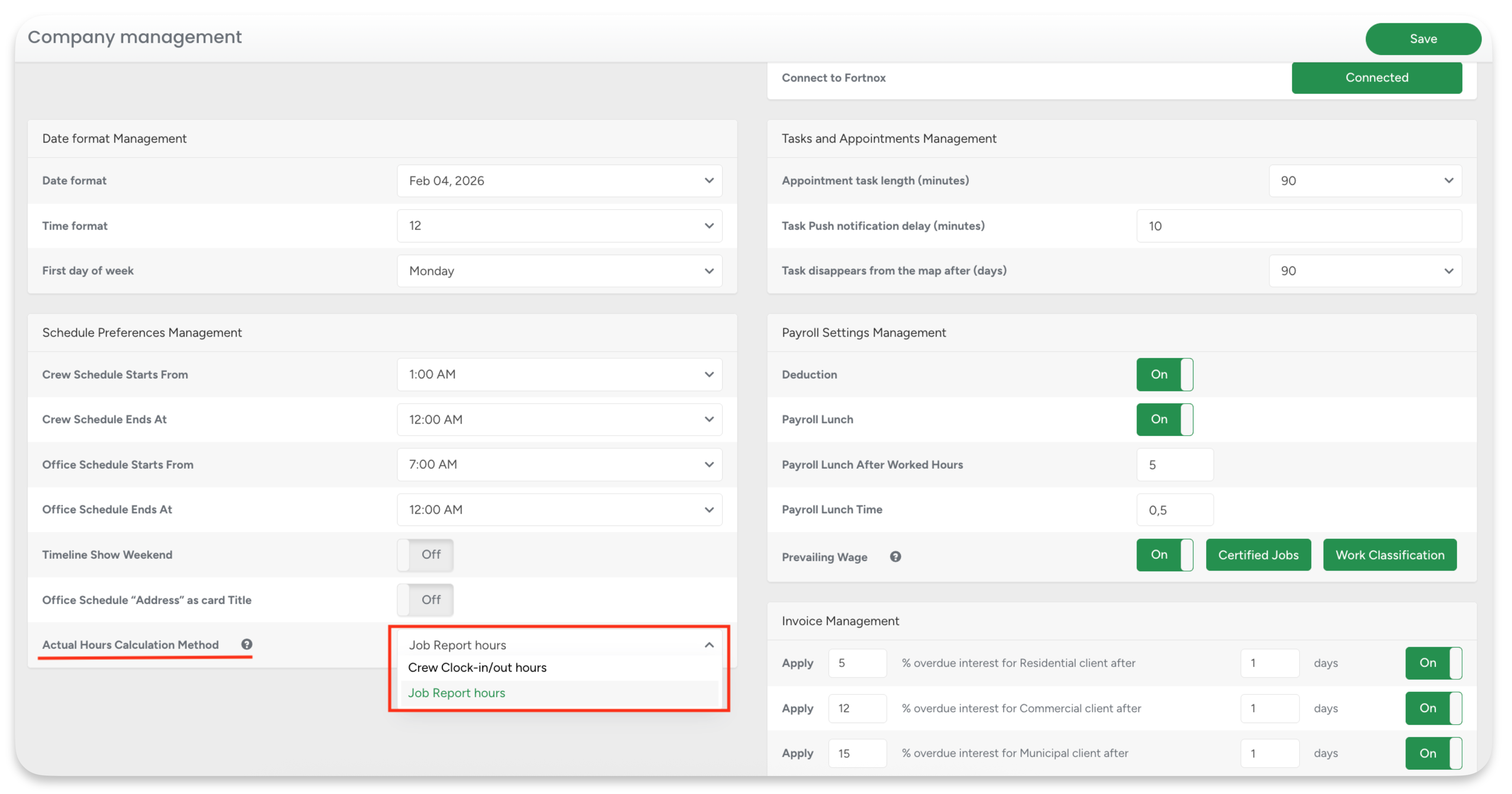
Choose how Actual Man Hours are calculated on the Crew Schedule:
based on crew clock-in / clock-out hours, or
using Job Report time on site, multiplied by the actual number of workers.
This setting affects only Crew Schedule statistics — payroll, reports, and other modules remain unchanged.
Real-world example:
An office manager reviews a completed crane removal job where four crew members were on site from 8:30 AM to 1:30 PM. Instead of relying on individual clock-ins (which may include travel or breaks), they use the Job Report start and finish times.
The system calculates 5 hours × 4 workers = 20 actual man-hours, giving a clear and accurate picture of on-site labor for operational analysis and future planning — without altering payroll or historical records.
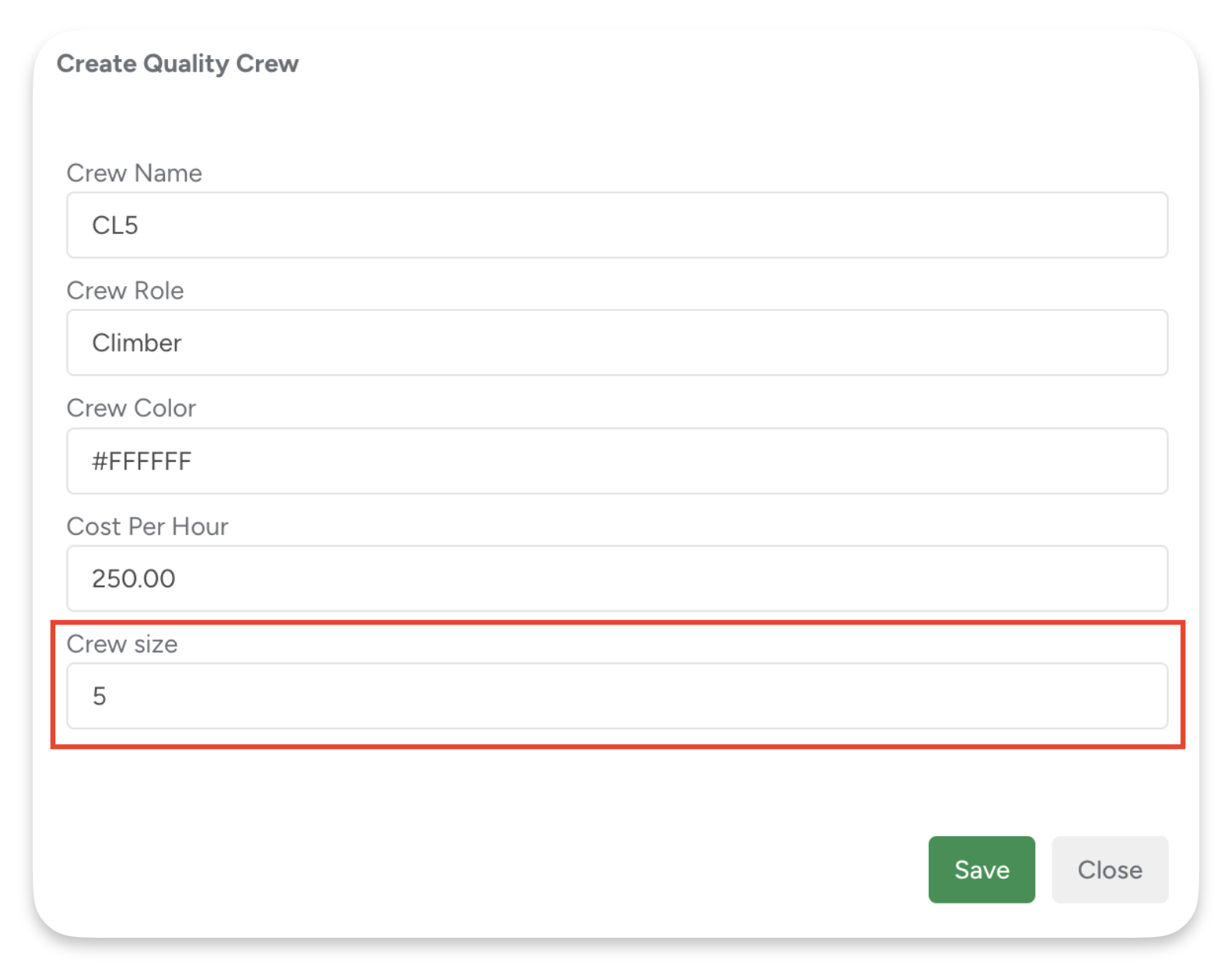
Crew Size is now part of Crew Roles
Each role can represent more than one worker (for example, Crane Crew (5)), and Crew Size is automatically used when calculating Estimated Man Hours.
Estimates stay realistic, predictable, and aligned with real crew capacity — without changing rates or existing workflows.
Real-world example:
An estimator creates an estimate for a large tree removal that requires a crane crew. Instead of manually calculating manpower, they select the Crane Crew (5) role, which already reflects the actual team size.
Estimated man-hours are calculated correctly from the start, making scheduling smoother and ensuring the job is planned with the right crew capacity — without adjusting pricing or duplicating effort.
Smarter GPS and Pins on the Map
Maps in ArboStar now show more accurate and reliable crew locations, based on improved GPS data handling across the system.
Each pin represents a real, validated user location, making it easier to understand where people actually are during the workday.
The map clearly reflects how recent the location data is: pins turn grey after 15 minutes without updates and are removed after 1 hour from the Lead map if no new GPS data is received. This keeps attention on currently active crew locations.
Behind the scenes, GPS data is validated and stored efficiently — one location update per minute per user, with invalid coordinates ignored — ensuring that displayed locations remain accurate, stable, and trustworthy.
Invoice Sync Made Flexible
Invoice synchronization is now more flexible and transparent, giving you clearer control over when invoices are sent to your accounting system.
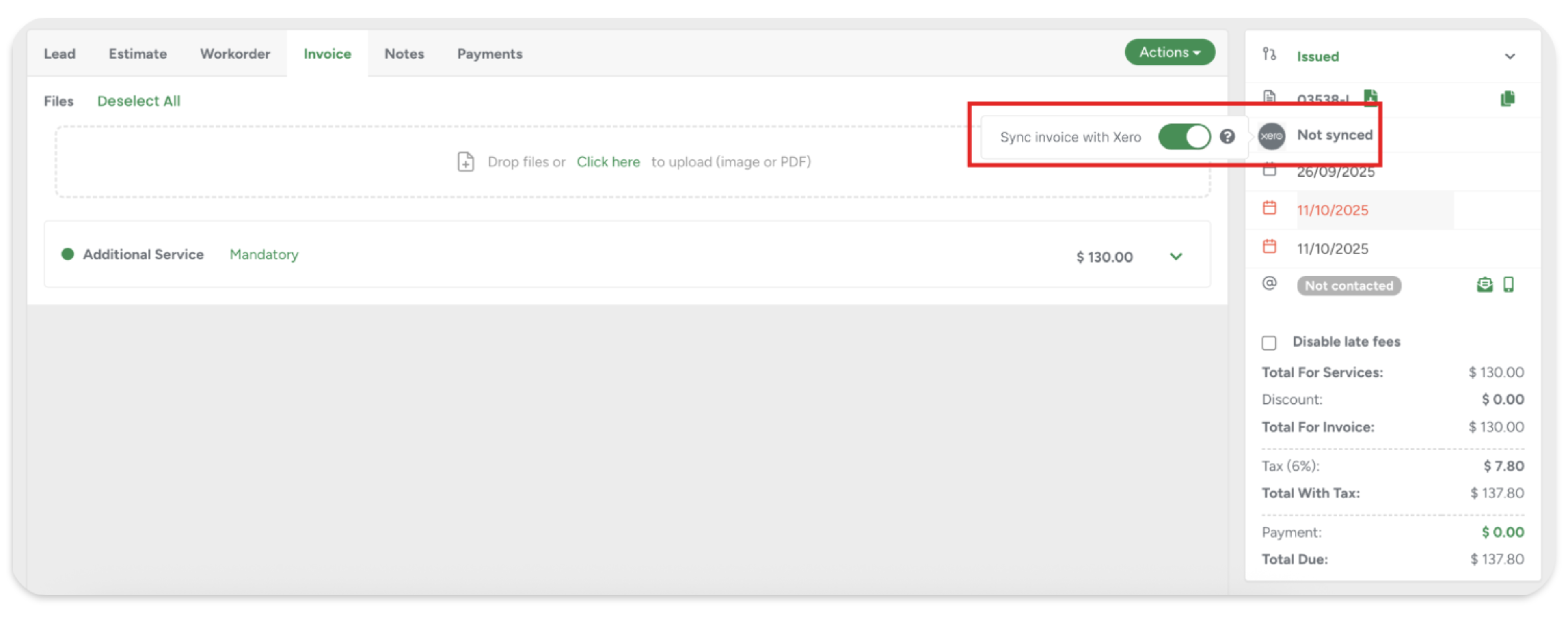
On the invoice itself, synchronization status is now always visible. Each invoice clearly indicates whether it has been synced or is still pending, along with a direct option to manually sync when automatic syncing is disabled. Once an invoice is synced, the connection is locked to prevent accidental changes, ensuring accuracy between ArboStar and your accounting system.
Real-world example:
An office administrator creates an invoice for a municipal client and sends it for internal approval without syncing it to accounting. After the invoice is approved, they make final adjustments, update the invoice date, and manually sync it — ensuring only finalized data is sent to the accounting system.
If you’d like to disable automatic invoice syncing for specific client types, simply contact your Customer Success Manager or chat with us.
Fortnox Accounting Integration
Introducing Fortnox accounting, making your financial data flow automatically between ArboStar and Fortnox, so you don’t have to enter anything twice.

The connection works through Fortnox’s secure API and OAuth2 authentication, keeping your data safe and up to date. When you create or update invoices, customers, or payments in ArboStar, that information can be sent straight to Fortnox automatically.
This makes managing your finances faster, reduces manual work, and ensures your accounting stays accurate and current, no matter where you handle your bookkeeping.
Other Improvements
Client and Project Tags in Programmed Messages
Programmed Messages now distinguish between Client Tags and Project Tags, giving you more control over when messages and reminders are triggered.
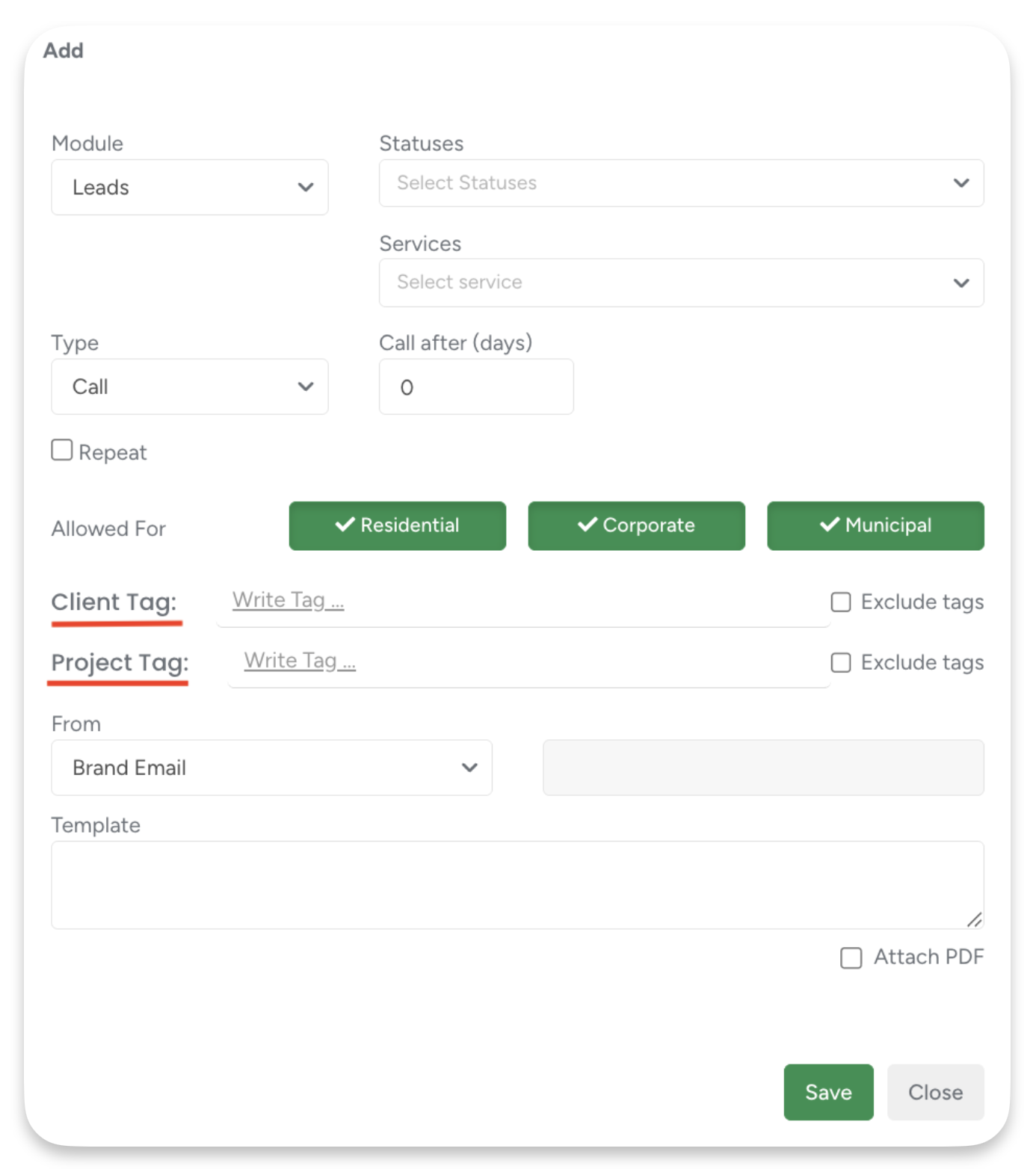
For example, a company may use a “Spring Pruning 2026” Project Tag for seasonal work. An office manager can automatically send follow-up emails to all Estimates with this tag after 7 days if they are still pending, or schedule reminders for the crew once those projects are approved. This ensures the right messages go out at the right stage of the job, without relying on manual follow-ups or client-level tagging.
Follow-Up Enhancements
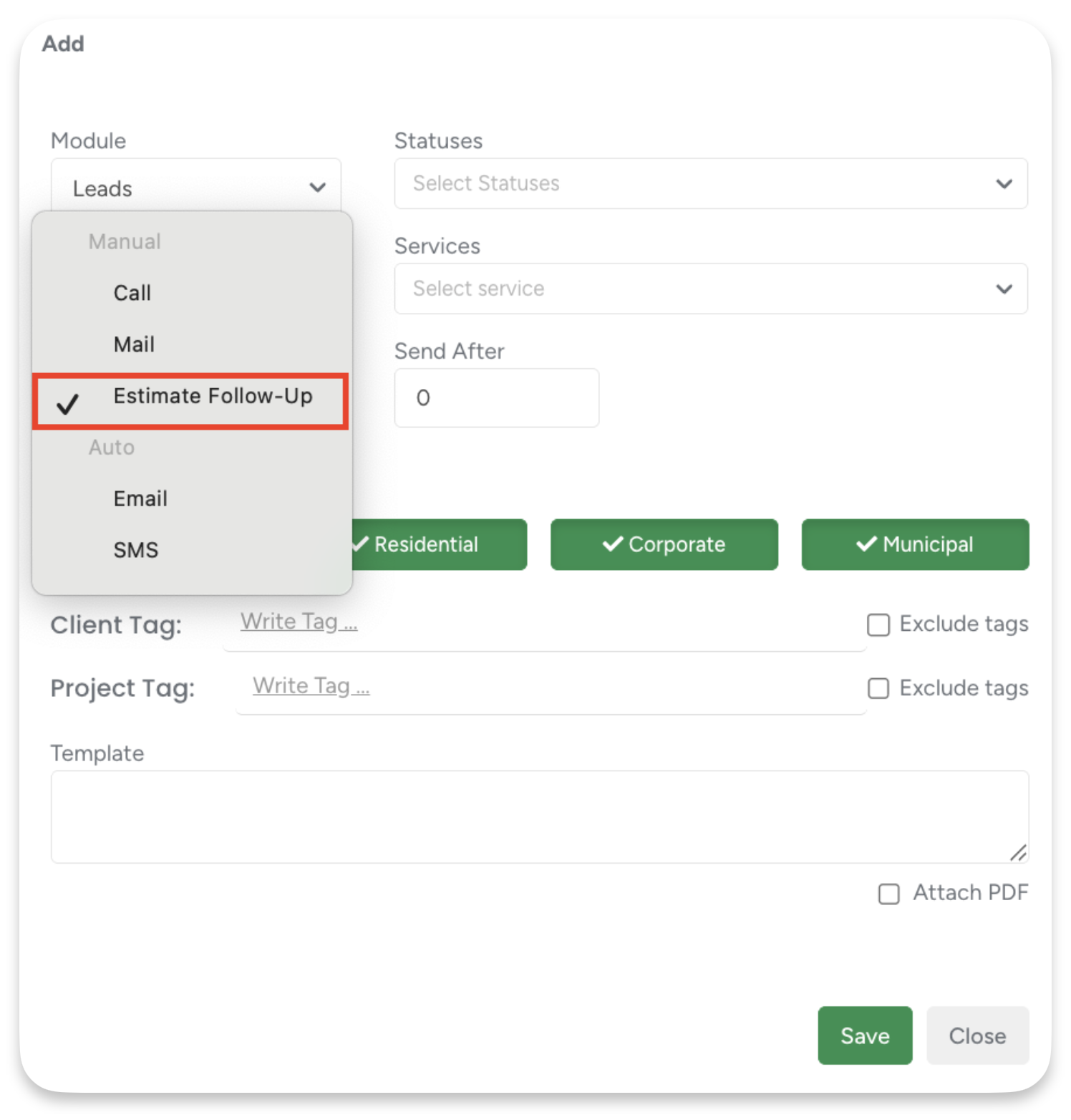
We’ve added a new manual Follow-Up type, “Estimate Follow Up”, to help you track actions specifically related to Estimates.
Additionally, on the Follow-Up page, we removed the checkbox column. Follow-Up status is now updated only when you click directly on the status, making updates clearer and preventing accidental changes.
Accurate ACH Payment Status Tracking & Verification
Cardpointe ACH payments now follow a reliable status flow that mirrors real bank processing times. ACH payments start as Pending, are verified twice a day, and only apply funds when marked Success, preventing mistakes and ensuring your accounting is always accurate.
MMS support for ArboStar Plus
In addition to the web version, you can now send photos, PDFs, and other visual attachments directly from the ArboStar app when messaging clients (US & Canada only). All existing MMS rules apply, including supported formats, size limits, and outbound-only messaging.
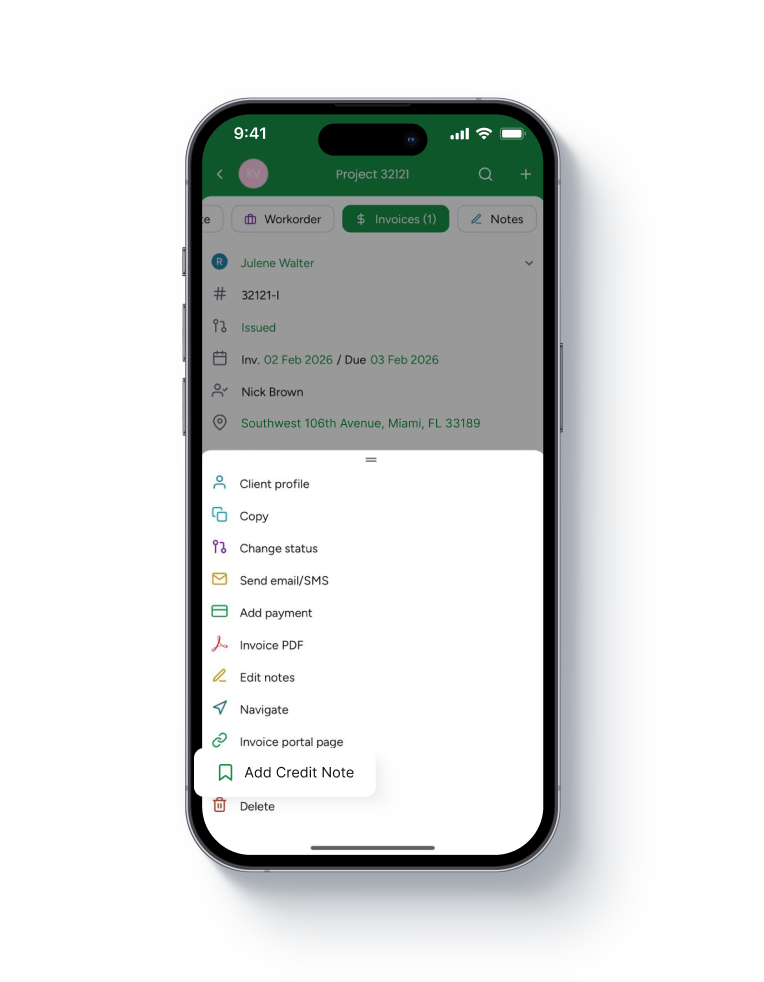
Credit Notes now available in the App
You can now add and review credit notes directly from invoices in the mobile app. Credit notes reduce the invoice total due, follow the same tax logic as on Web, and update totals instantly.
 User Management Improvements
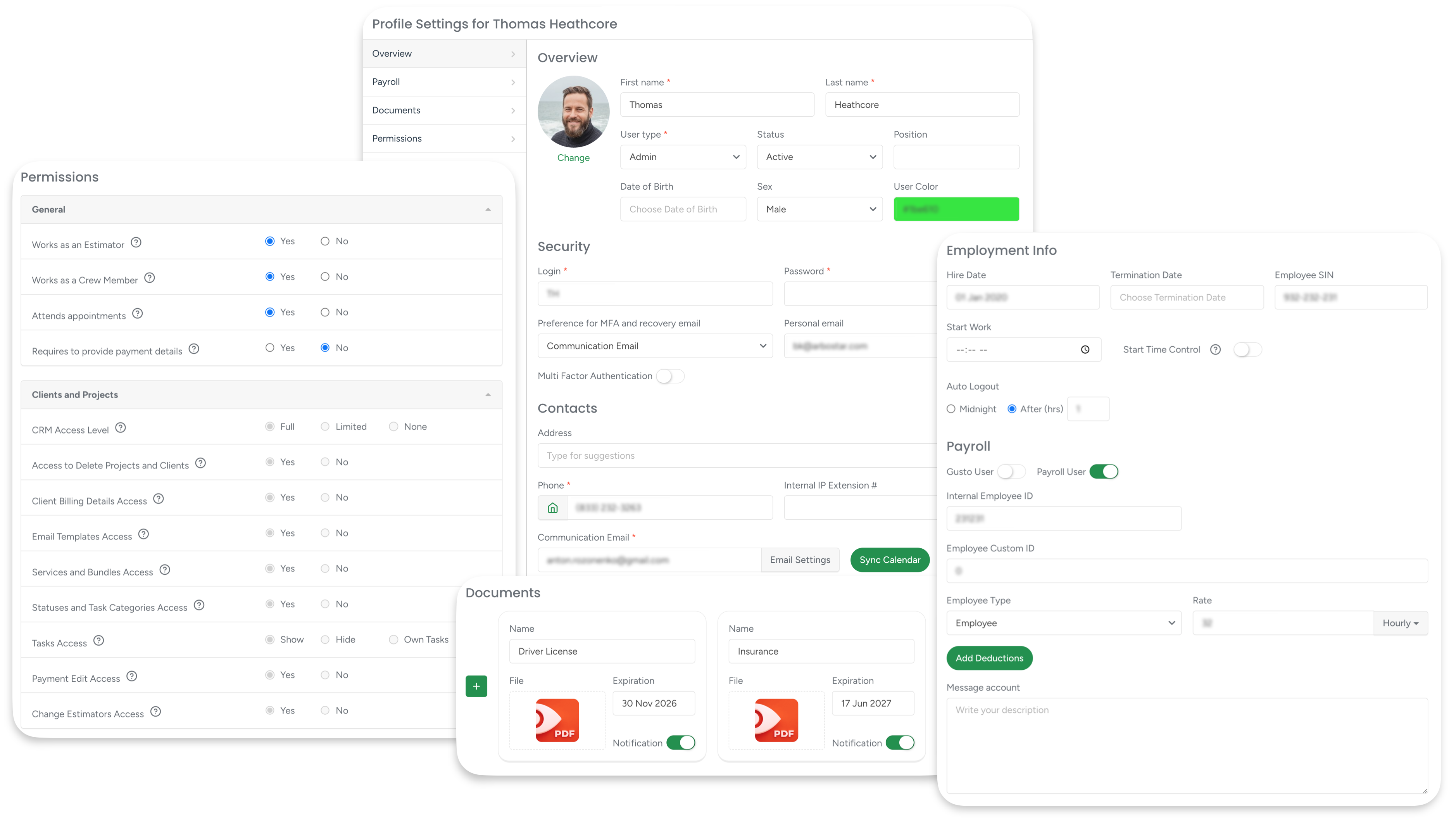
The User Management experience has been refreshed with clearer filtering by user status, name or login, and worker type (Field Workers or Support Users).
User profiles now feature a structured left-side navigation with dedicated sections for Overview, Payroll, Documents, and Permissions — making it faster and easier to manage users and their settings, even across large teams.
Outlook & iCal Integration for Office Schedule
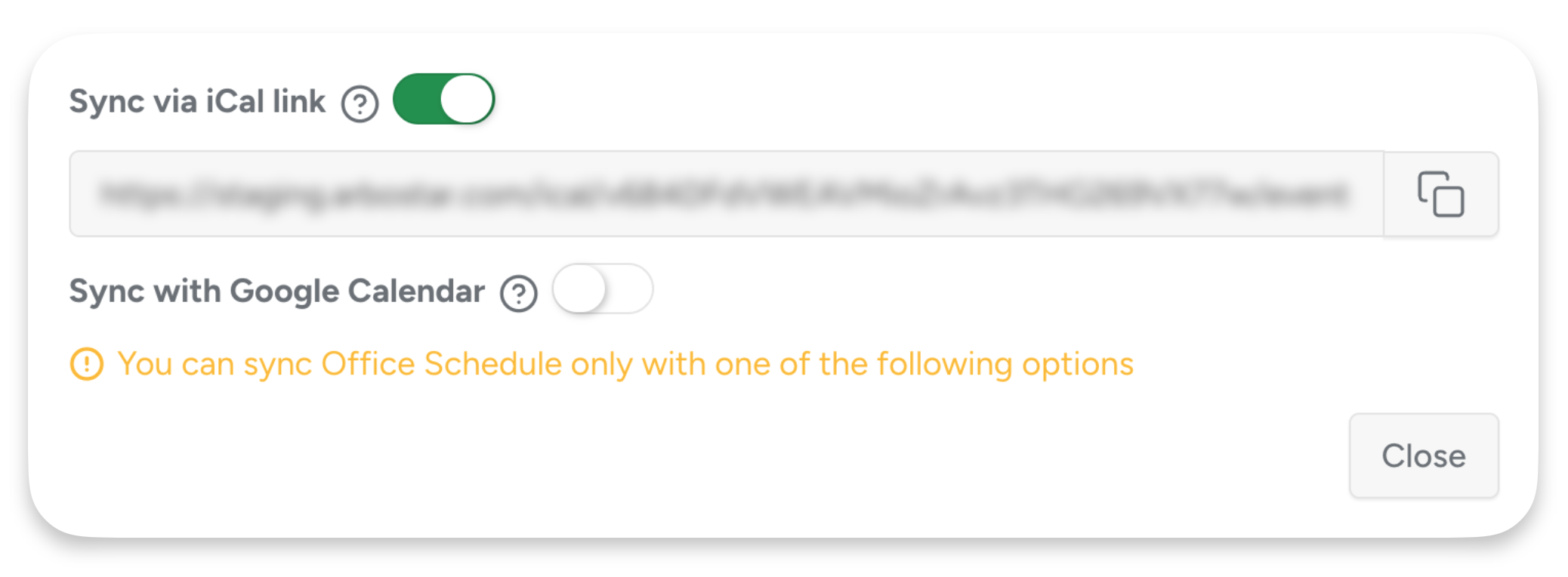
You can now sync your personal Office Schedule with Outlook, Apple Calendar, and other calendar apps using a secure iCal link. Events stay read-only, update automatically, and reflect only your assigned schedule — keeping your external calendar aligned without risking changes in ArboStar.