
⚠️ Note: Offline functionality relies on previously loaded data stored on your device (cache and app history). If the app cache or stored data is cleared before losing internet connection, some information may not be available and offline features may not work as expected.
Work Without Internet and Sync Later
ArboStar’s mobile app allows crews and estimators to continue working even when internet coverage is unavailable. This is especially useful when operating in remote areas or locations with unstable mobile data.
When your device loses connection, the app automatically switches to offline mode and stores your activity locally. Once internet access is restored, all offline actions sync automatically with the system.
This means your work continues uninterrupted, and no data is lost.
How Offline Mode Works
When offline:
The app keeps essential data stored on your device.
You can continue performing key tasks.
All changes remain saved locally.
Once the connection returns, data syncs automatically.
No manual upload is required.
What You Can Do Offline
Time Tracking
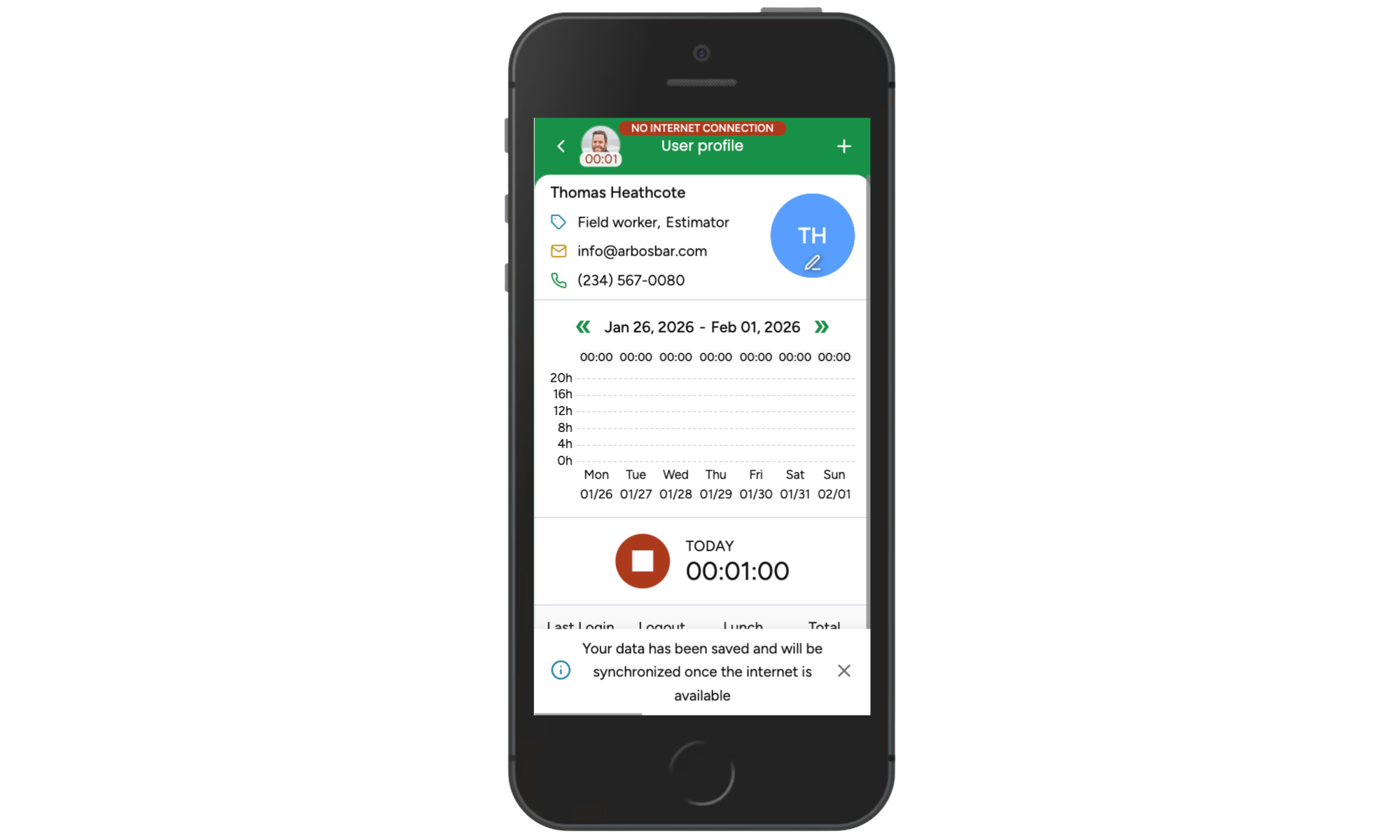
Crew members can start and stop the time tracker while offline. If GPS tracking is enabled, tracking continues and updates once the device reconnects.
Complete Job Forms
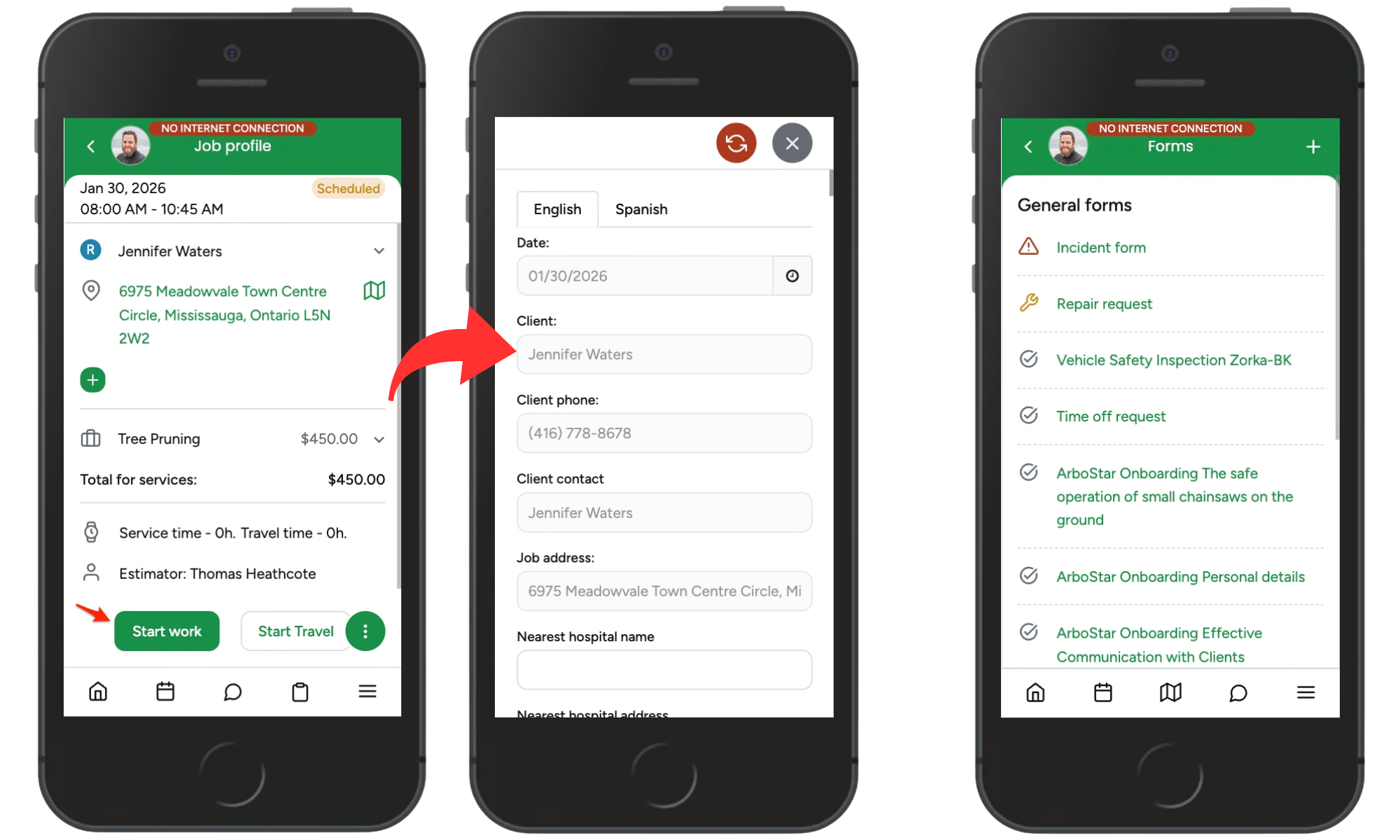
All job-related forms and general forms can be completed while offline. Any information entered will be saved locally and automatically submitted once the app reconnects to the internet.
Create Clients, Leads, and Estimates
You can continue creating:
New client profiles
Leads
Estimates
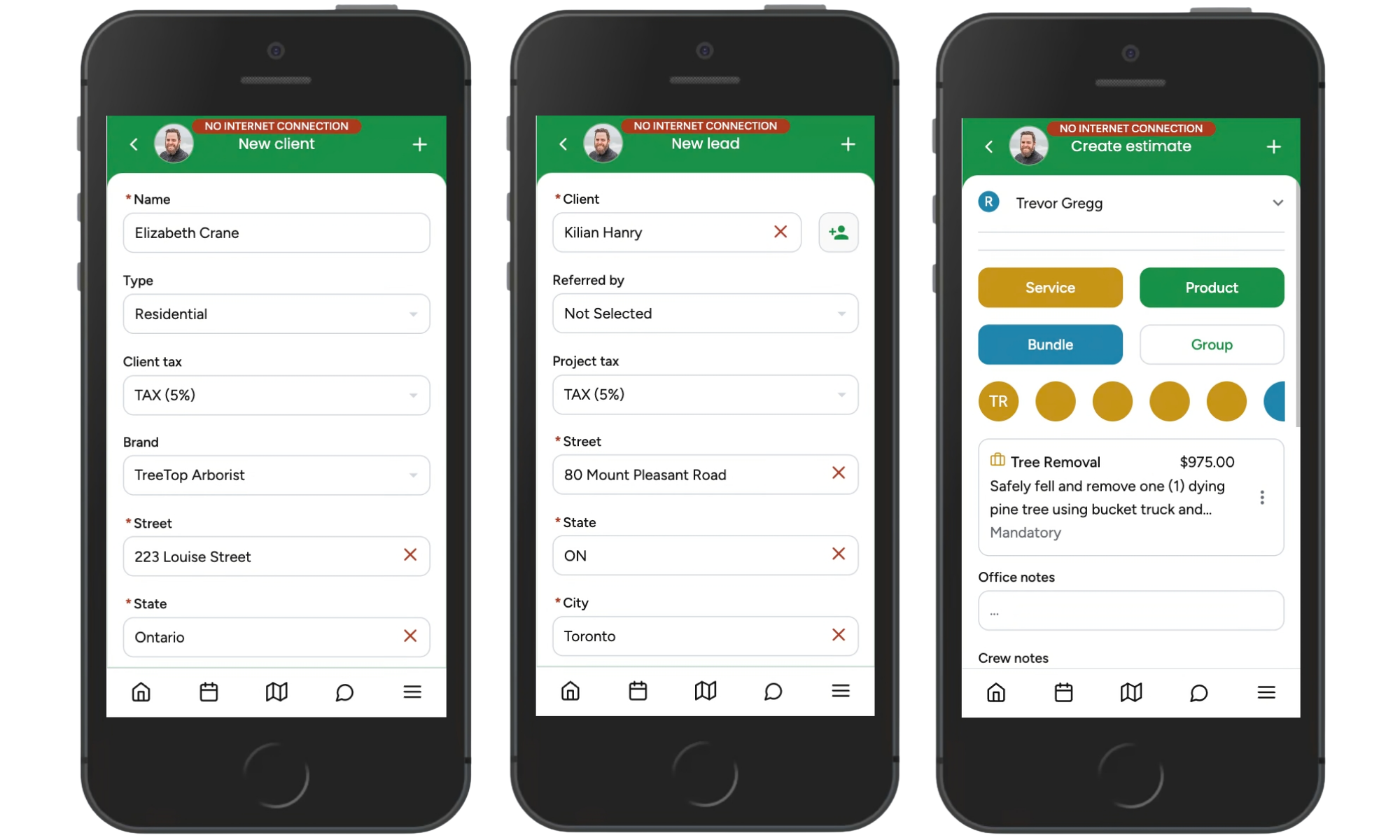
All information is saved locally and syncs when the internet becomes available.
Note: Some estimate features, such as adding photos or using drawing tools, require an internet connection.
View and Manage Scheduled Jobs
Jobs already loaded into your agenda remain accessible offline. You can:
Open job details
Start jobs
Fill required forms
Complete jobs
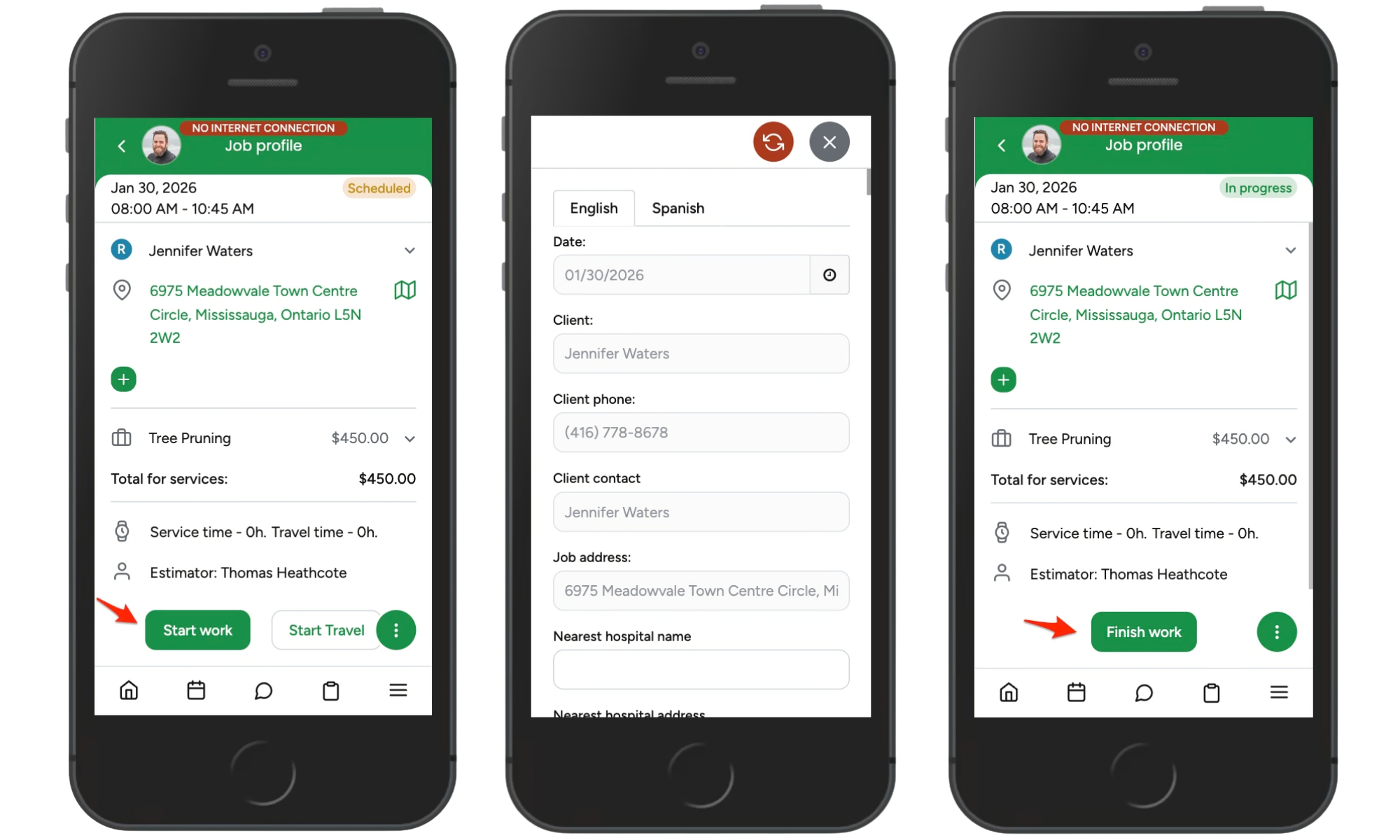
All updates sync later.
Offline Mode Limitations
Some features require an internet connection and are not available offline:
Workorders cannot be created or accessed.
Invoices cannot be created or modified.
Only recently accessed client data may be available.
Some estimate tools and media uploads require online access.
Best Practices Before Going Offline
To ensure smooth work in low-coverage areas:
Open your agenda while still online so jobs are cached on your device.
Load client and estimate information beforehand.
Allow time for data to sync before leaving coverage.
After reconnecting, briefly check records to confirm syncing is complete.
Summary
ArboStar’s offline functionality allows teams to:
Track time
Fill job and general forms
Create clients and estimates
Start and complete jobs
All work syncs automatically once internet access returns, ensuring productivity continues even in remote locations.