
What Is Email and Domain Verification?
Email and domain verification help prove that the emails sent from ArboStar are legitimately coming from your business. This improves your email reputation and helps prevent your messages from being marked as spam or rejected by your clients’ email providers.
Domain verification also adds security by helping protect your business from email spoofing or unauthorized use of your domain. Once properly verified, your estimates, invoices, appointment reminders, and other automated emails are more likely to land directly in your clients’ primary inbox instead of their spam or junk folders.
Verification confirms that you own and are authorized to send emails from a specific email address or domain.
This process helps:
|
Without proper verification, emails sent from the system are more likely to:
|
How to Add Domains and Email Addresses
To add your email addresses and domains:
- Go to Company Management
- Find Domains and Emails
- Click the Manage button

- Enter your domain or email address
- Click Add Domain or Add Email
The setup steps afterward depend on whether you are using a public domain or a private domain.
Public Domains and Public Email Addresses
Public domains are free email providers available to anyone.
Examples of public domains:
- gmail.com
- yahoo.com
- outlook.com
- hotmail.com
Examples of public email addresses:
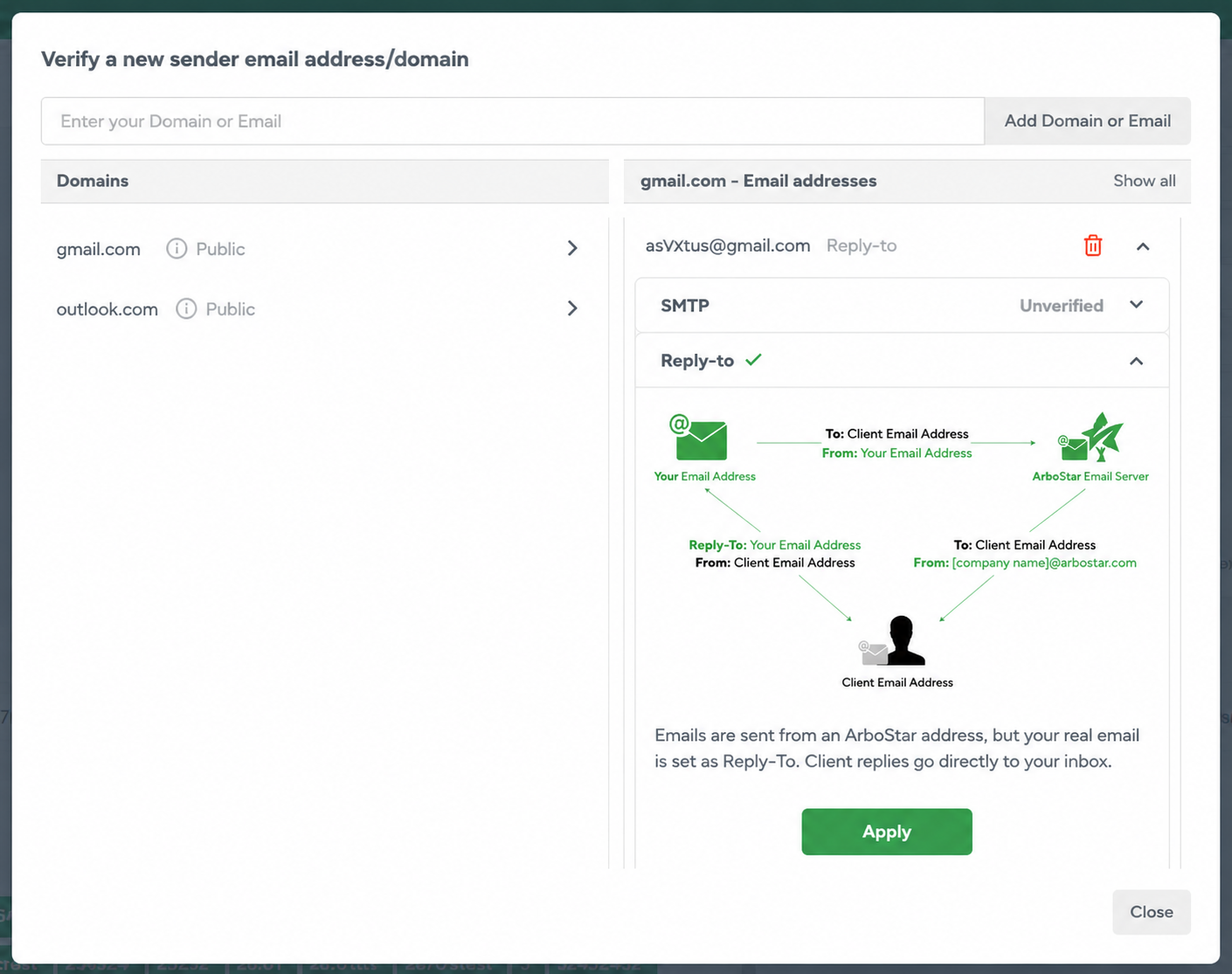
Public domains and public email addresses do not require domain verification because the domains are already owned and managed by providers like Google, Yahoo, and Microsoft.
However, they still need to be added under Domains and Emails in ArboStar.
Setup for Public Domains and Public Email AddressesIf you are using Gmail, Yahoo, Outlook, or another public provider:
Examples:
No additional verification actions are required in most cases. Pros
|
 |
Private Domains and Private Email Addresses
Private domains are custom business domains owned by your company.
Examples of private domains:
- yourtreecompany.com
- greenleafarborcare.com
Examples of private email addresses:
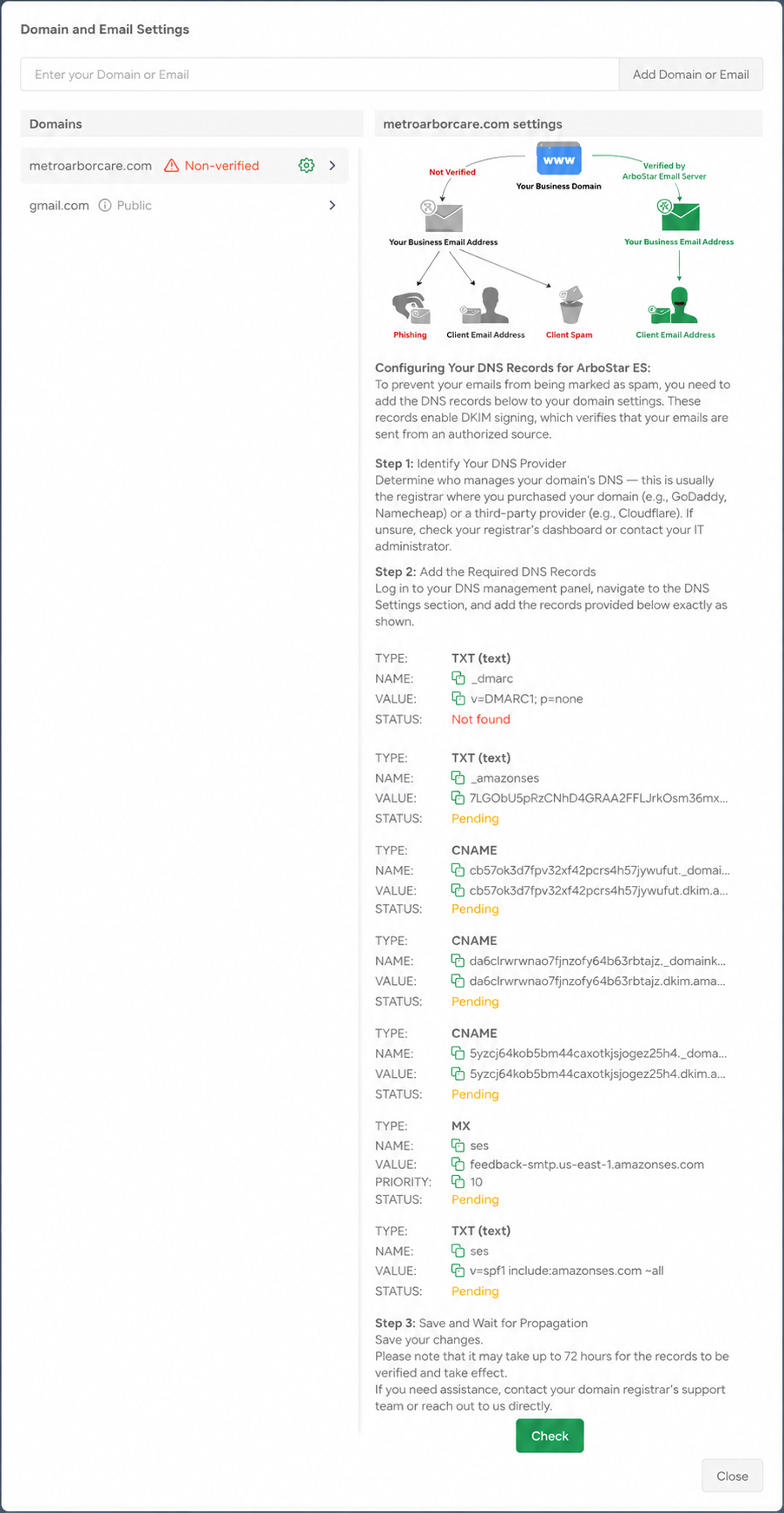
Private domains require domain verification through DNS records before they can be fully used for sending emails through ArboStar.
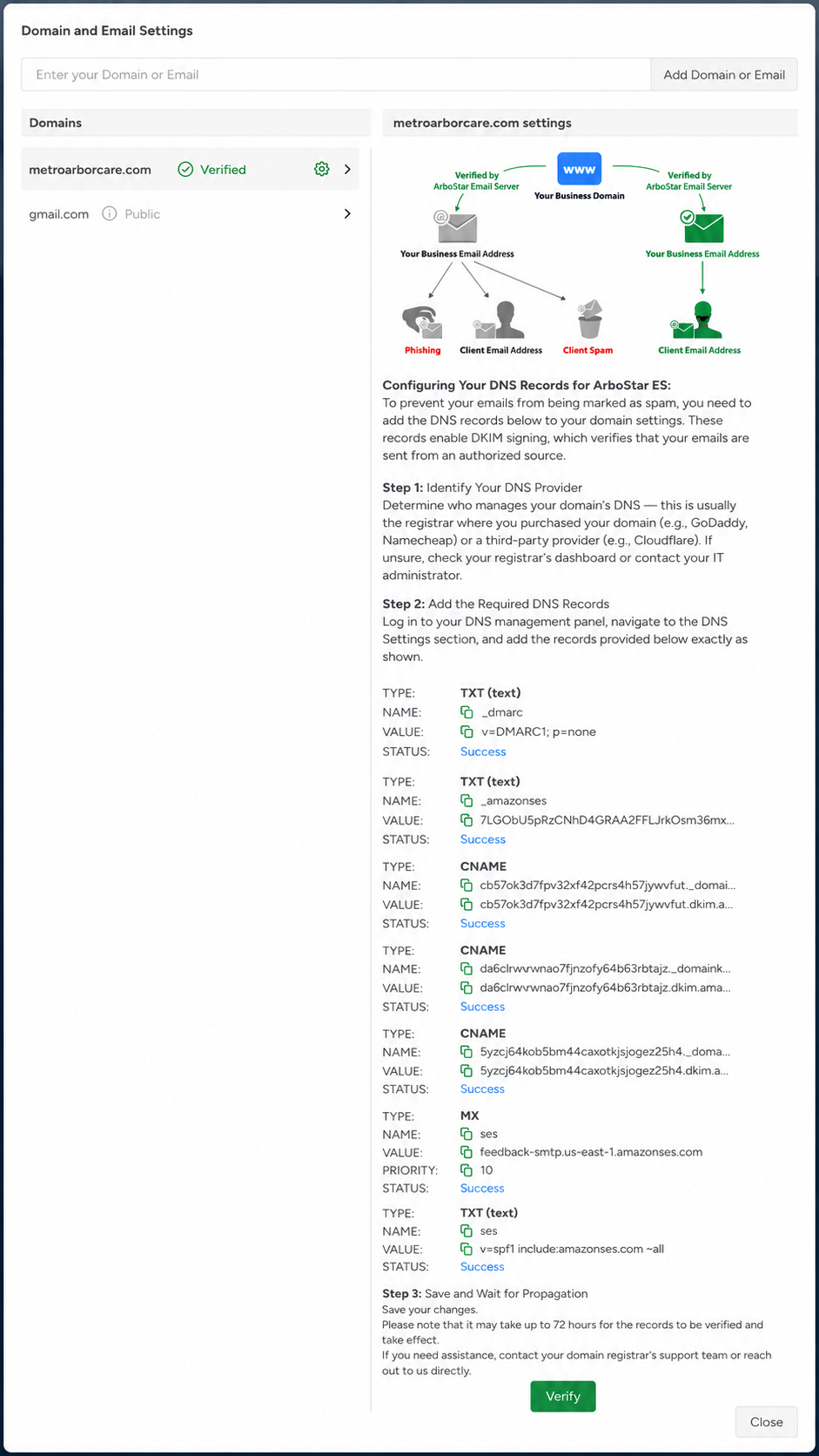
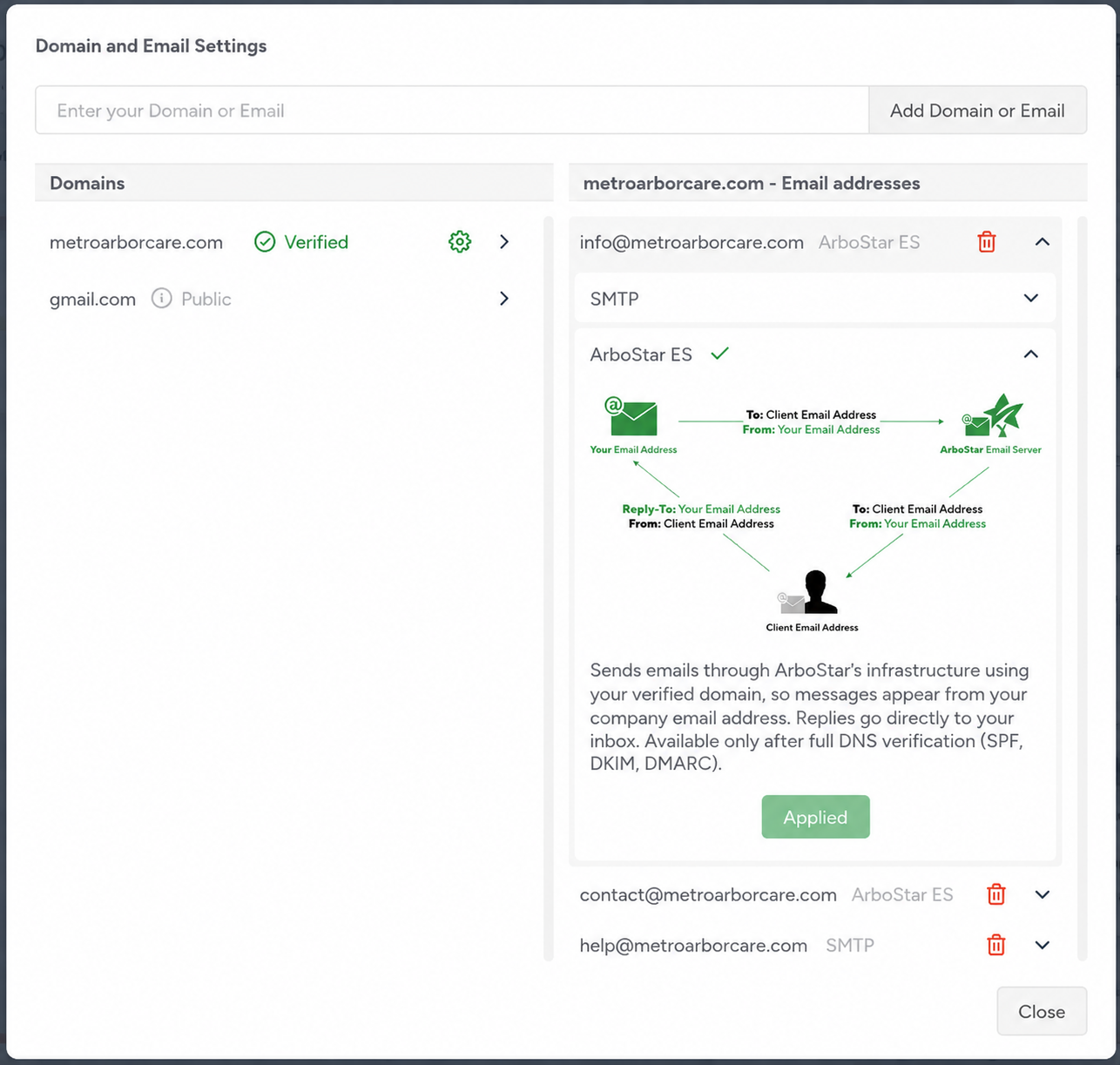
Once the private domain has been successfully verified, the email addresses added under that domain can then be used within the system. Based on the current setup shown in the Domains and Email Settings, there are no separate manual verification steps required for the private email addresses themselves after the domain verification is completed.
The verification status is primarily tied to the domain verification records configured in your DNS settings.
How to Verify Private DomainsAfter adding your private domain, the system will provide verification instructions. To complete domain verification, you will need access to your domain or DNS provider such as:
The system may ask you to add DNS records such as:
Tells recipient mail servers how to handle suspicious or unauthorized emails. These records help prove that ArboStar is authorized to send emails on behalf of your domain. Domain Verification Steps
|
 |
Sample view of a verified private domain and email setup
 |
 |
Verified vs. Unverified Email Addresses
| Verified Email Address - A verified email address has successfully completed the domain verification process. Benefits
|
| Unverified Email Address - An unverified email address has not completed domain verification setup. Risks
|
Why Verification Matters
Verification is especially important for automated emails such as:
- Estimates
- Invoices
- Appointment reminders
- Work order notifications
- Payment confirmations
- Marketing emails
Proper verification helps ensure:
- Clients receive your emails successfully
- Emails appear more trustworthy
- Your business looks more professional
- Automated communications avoid spam filters
Businesses sending larger volumes of emails benefit the most from proper verification and authentication setup.
Find out how to set up your domain and email address here