
Overview
ArboStar offers integrated payment processing solutions that allow businesses to collect payments directly through estimates and invoices. By connecting a supported payment provider to your ArboStar account, you can streamline payment collection, improve cash flow, and provide customers with convenient payment options through the Estimate and Invoice Portals.
Integrated payments help reduce manual work, improve customer experience, and allow businesses to get paid faster while keeping all payment information centralized within ArboStar.
Benefits of Integrated Payments
Integrating a payment solution with ArboStar provides several advantages:
- Accept payments directly from estimates and invoices
- Allow customers to securely pay online
- Reduce manual payment tracking and data entry
- Improve cash flow with faster payment collection
- Increase estimate acceptance rates by offering flexible payment options
- Track payment activity directly within ArboStar
- Access payment reporting through Business Intelligence and Accounting reports
- Offer financing options to qualified customers where available
- Maintain a complete payment history tied to customer records
Available Payment Methods
Depending on your region and payment provider, customers may be able to pay using one or more of the following methods:
Credit and Debit Cards
Customers can securely pay online using supported credit and debit cards directly from:
- Estimate Portal
- Invoice Portal
ACH
Where available, customers can pay directly from their bank account through ACH payment processing.
- Estimate Portal
- Invoice Portal
Financing Options
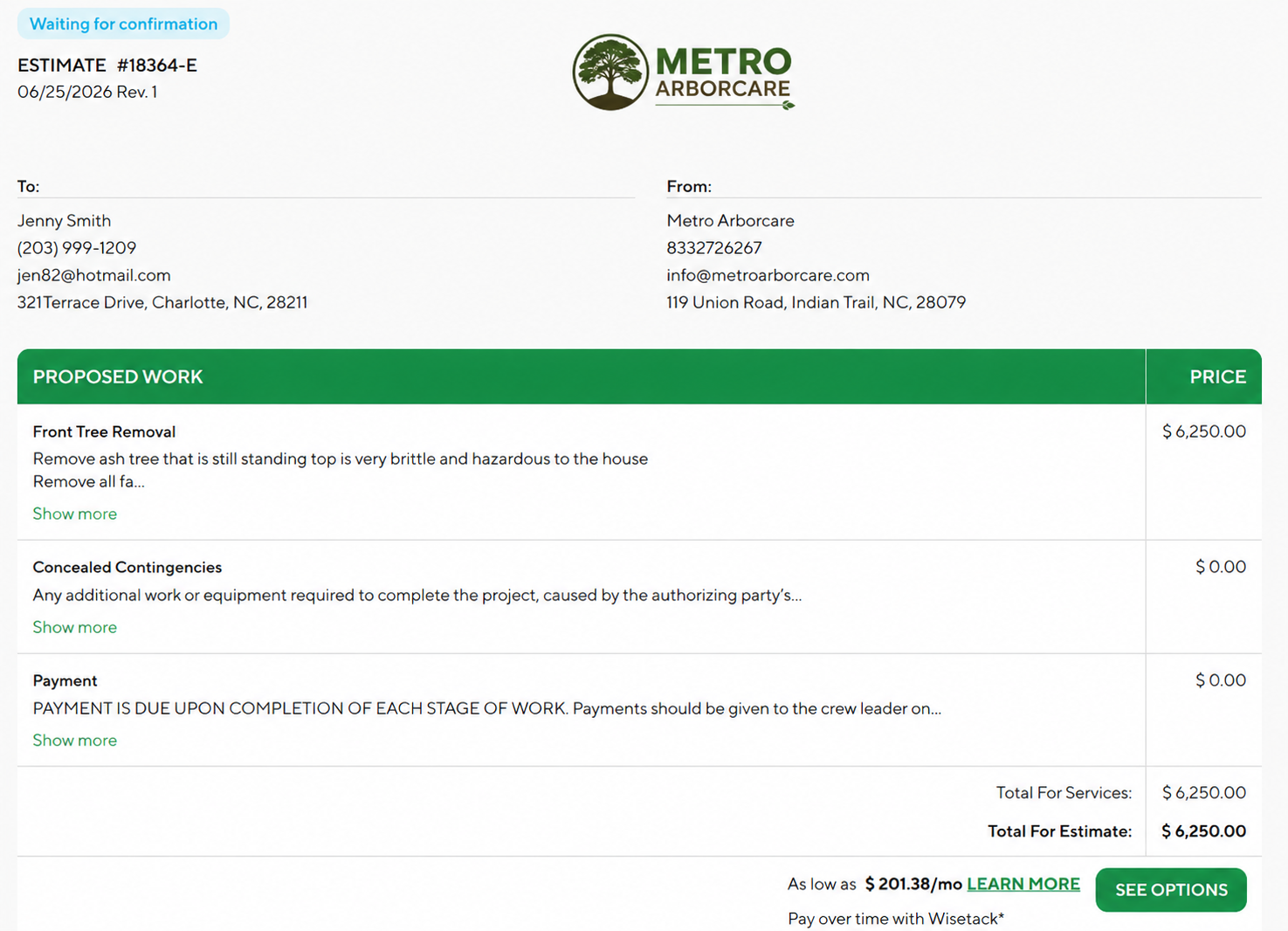
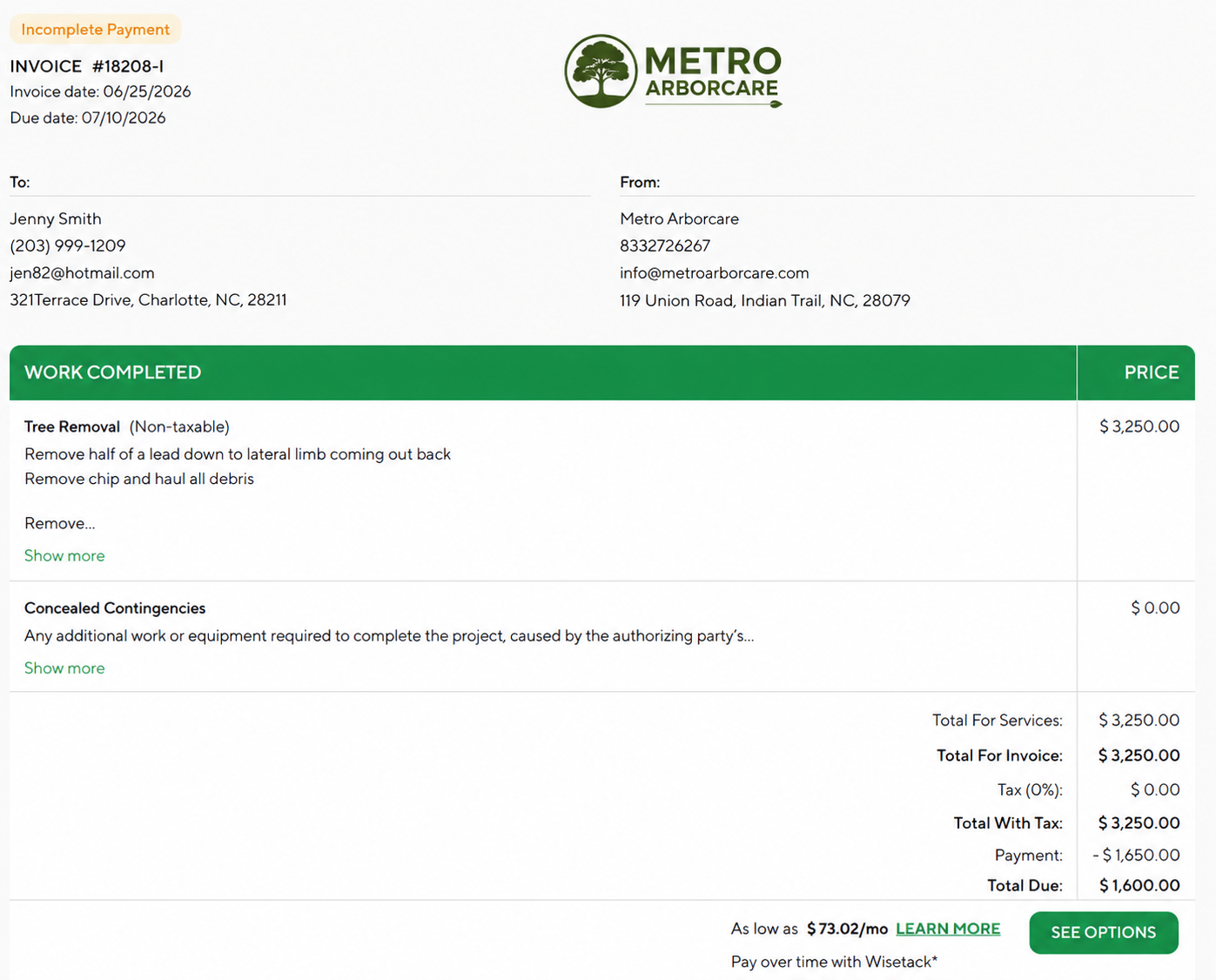
Eligible customers may be offered financing options directly through the Estimate and Invoice Portals, allowing them to pay over time through flexible payment plans. Financing can help make larger projects more affordable for customers while increasing estimate acceptance rates and accelerating business growth.
Estimate Portal
| Invoice Portal
|
Offline Payment Methods
ArboStar also supports recording offline payments that occur outside the system, including:
- Cash
- Check / Cheque
- E-Transfer
- Bank Transfer
- Other custom payment methods
Offline payments are manually recorded in ArboStar and help maintain accurate customer balances and payment history.
Where Payments Can Be Collected
Estimate Portal
Customers can review and confirm estimates, as well as submit deposits or payments directly through the Estimate Portal.
Invoice Portal
Customers can securely pay invoices online using the payment methods available to your company.
Office Administration
Office staff can manually record customer payments and manage payment activity directly within ArboStar.
Mobile App
Where supported, users can collect and record payments while working in the field.
Viewing Payment Information
Once a payment is recorded or processed, payment details can be viewed in several areas of the system.
Payment Tab
The Payment Tab displays information such as:
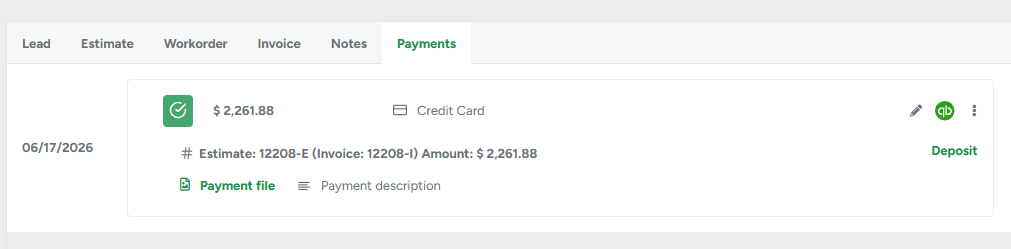
- Payment amount
- Payment date
- Payment status
- Payment method used
- Transaction history
This allows users to quickly identify how a payment was made and review payment activity associated with a specific client, estimate, invoice, or job.
Business Intelligence Reports
Payment activity can also be reviewed through:
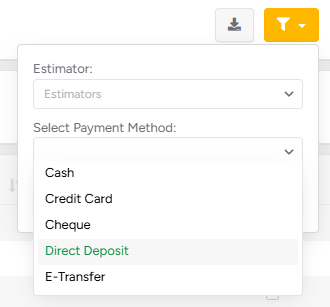
Business Intelligence → Accounting → Client Payments
This report provides visibility into customer payment activity and helps businesses track collected revenue across the organization. Users can also utilize the available filters to view payments by specific payment methods, making it easier to analyze payment trends and reporting for credit card, ACH, financing, cash, check, and other recorded payment types.
Accounting Software Integration
If your ArboStar account is connected to a supported accounting software, payment transactions recorded in ArboStar will automatically sync to your accounting system.
Important: Before connecting your accounting software in Company Management, please contact the ArboStar team so we can assist with the setup and monitor the initial synchronization. ArboStar uses a one-way sync for accounting integrations. To ensure records remain accurate and synchronized, all payment transactions should be created and managed within ArboStar. Creating or modifying payment transactions directly in your accounting software may result in discrepancies between the two systems.
Regional Availability
Payment methods may vary depending on your country and available payment integrations.
United States and Canada
Businesses may have access to:
- Credit Card Payments
- ACH Payments
- Financing Options
Australia and New Zealand
Businesses may have access to:
- Credit Card Payments
United Kingdom
Additional credit card payment options are currently being evaluated and may become available in future updates.
Improving Customer Experience
Offering multiple payment options gives customers flexibility when paying for services. Businesses that provide online payment methods often benefit from:
- Faster invoice payments
- Reduced collection efforts
- Improved customer satisfaction
- Increased estimate acceptance rates
- Better payment visibility and reporting
- Fewer delays between job completion and payment collection
Need Help?
If you're interested in enabling payment processing or learning which payment options are available in your region, please contact your Customer Success Manager.
You can contact the ArboStar Support Team directly from within the platform. Simply click Contact Support in the bottom-left corner of your ArboStar screen to view available support options, including live chat, phone support, and email.
- Chat With Us - A chat window will open, allowing you to connect with our team.
- Phone: 833-272-6267
- Email: support@arbostar.com
Our team can help you determine the best payment solution for your business, explain available payment methods, assist with payment processor setup, and answer any questions about accounting integrations.