
Access GPS Tracking
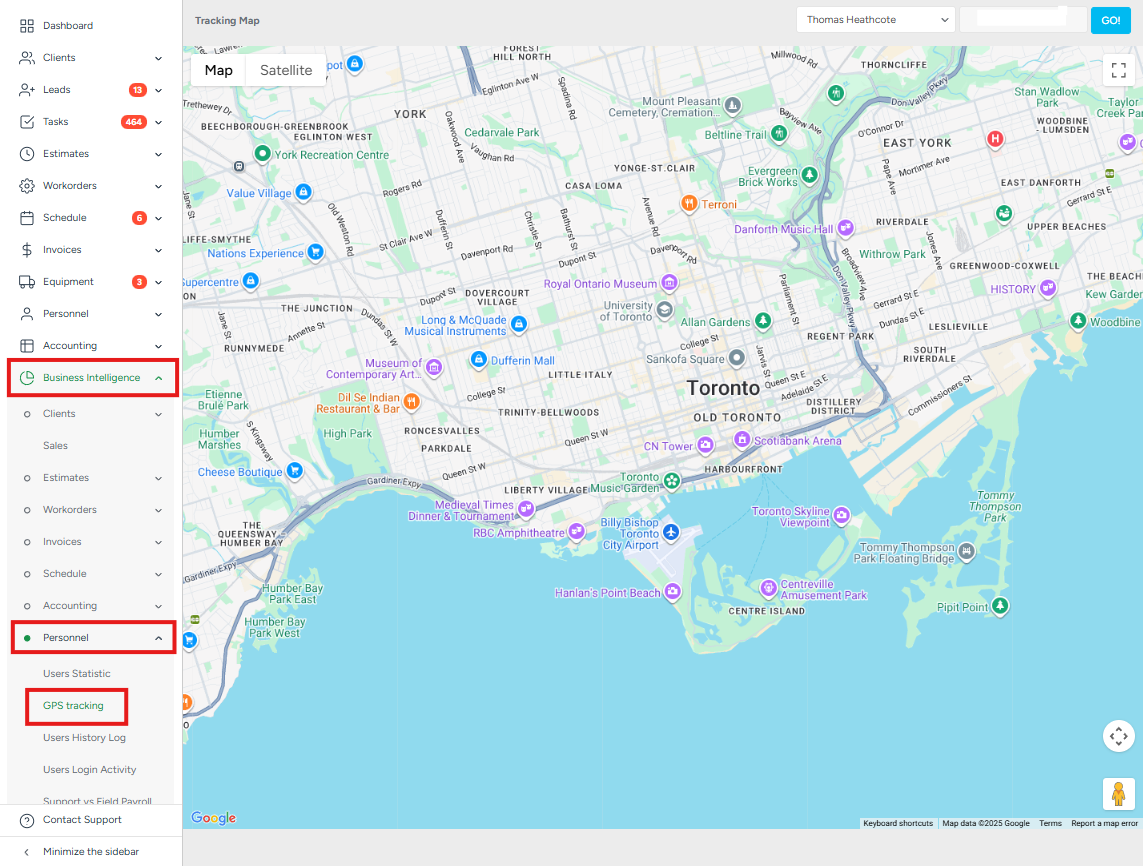
To access the GPS Tracking section, please navigate to the Business Intelligence → Personnel → GPS Tracking.
Here you can find the statistics about GPS tracking on the map
To access the statistics, please choose the estimator, the date, and click Go.
The user’s settings need to be enabled by an Admin in order for this feature to work.
To update this:
Go to User Management.
Select the user who should have this feature enabled.
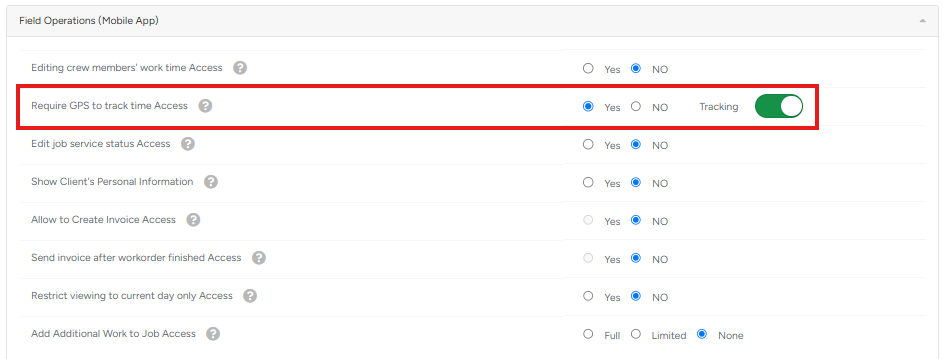
Navigate to Field Operations (Mobile App).
Set the option to Yes.
Toggle Tracking on for Require GPS to track time access.
Data is collected only for users who are logged into the Mobile APP and only during work hours between Clock in/ Clock out.