
ArboStar supports integrated payment processing for credit/debit card and ACH transactions through a connected payment processor.
At this time:
- Credit/debit card refunds can be processed directly within ArboStar
- ACH payments cannot be refunded through ArboStar or the payment processor. Consult with your accountant or financial institution to determine the most appropriate refund method.
- Offline payments such as direct bank deposits, E-Transfers, checks, Zelle, cash, or similar payment methods must be refunded outside of ArboStar, since these payments were only manually recorded in the system and were not processed through ArboStar’s integrated payment gateway
Only users with Admin permissions can process refunds in ArboStar.
Processing Credit/Debit Card Refunds in ArboStar
How to Issue a Refund
Open the Client Profile or the related Project Profile.
This may include a Lead, Estimate, Work Order, or Invoice.
Click the Payments tab.
If accessing refunds from the Client Profile:
You may see multiple payment records from different projects.
Review the payment method used for each transaction.
To identify which payment belongs to the correct project, click the dropdown arrow on the payment record to view the associated Project ID.
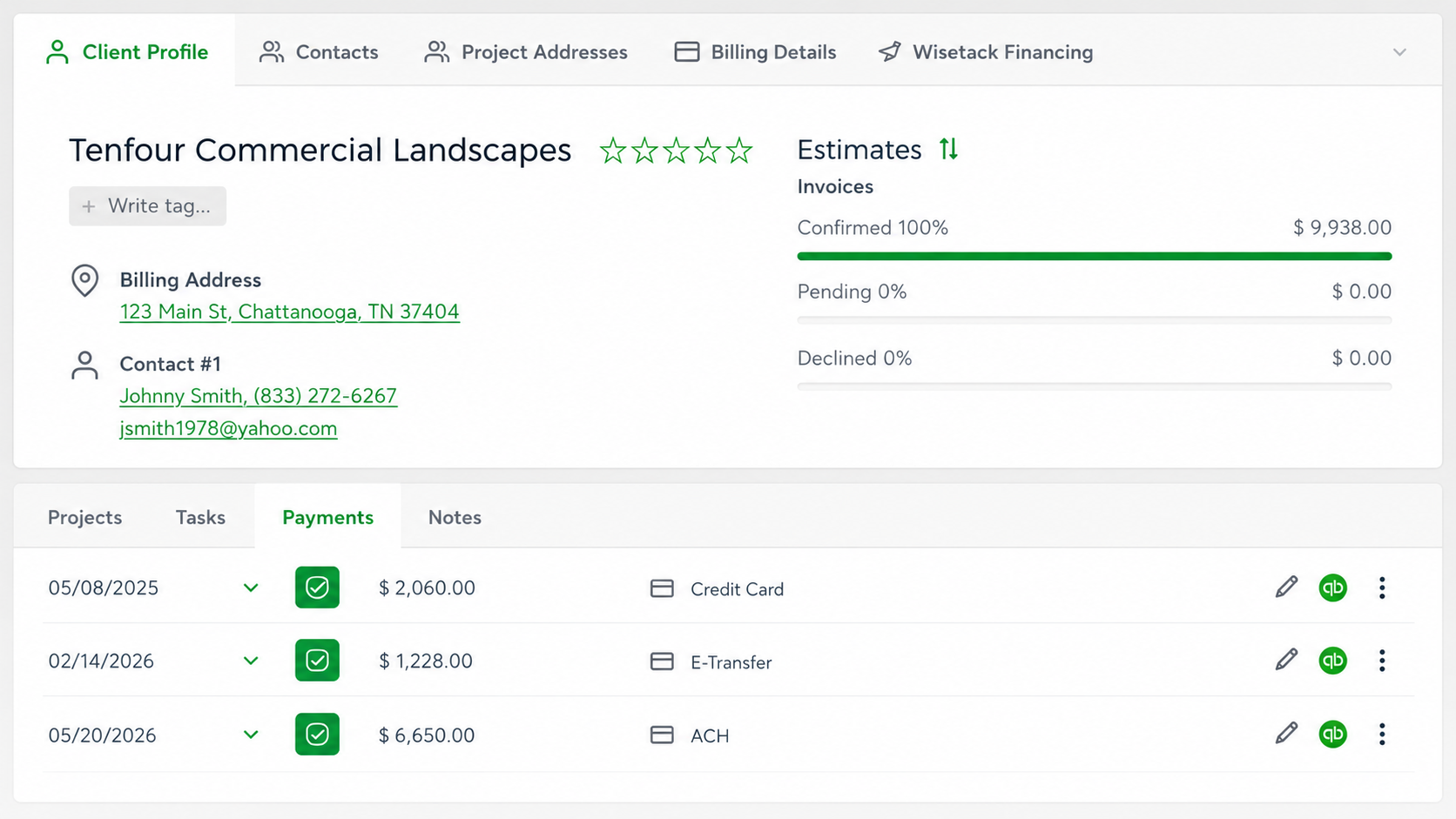
4. Click the three dots menu on the payment record.
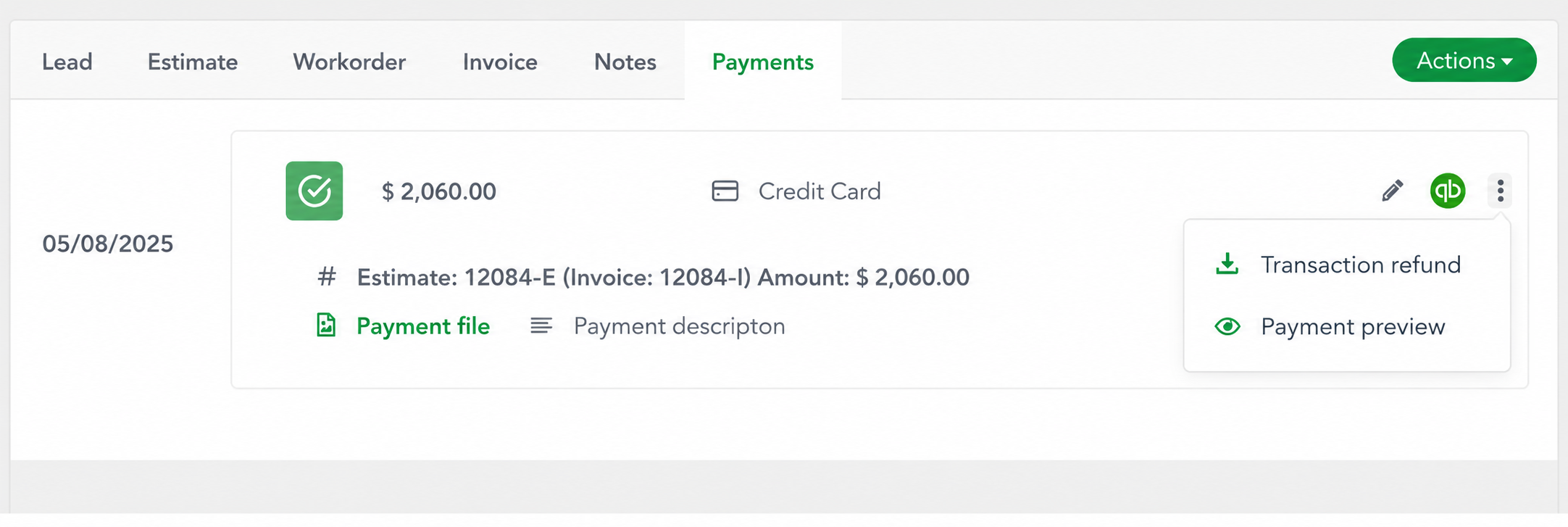
5. Select Transaction Refund.
Enter:
The refund amount
The Admin user’s password for authorization
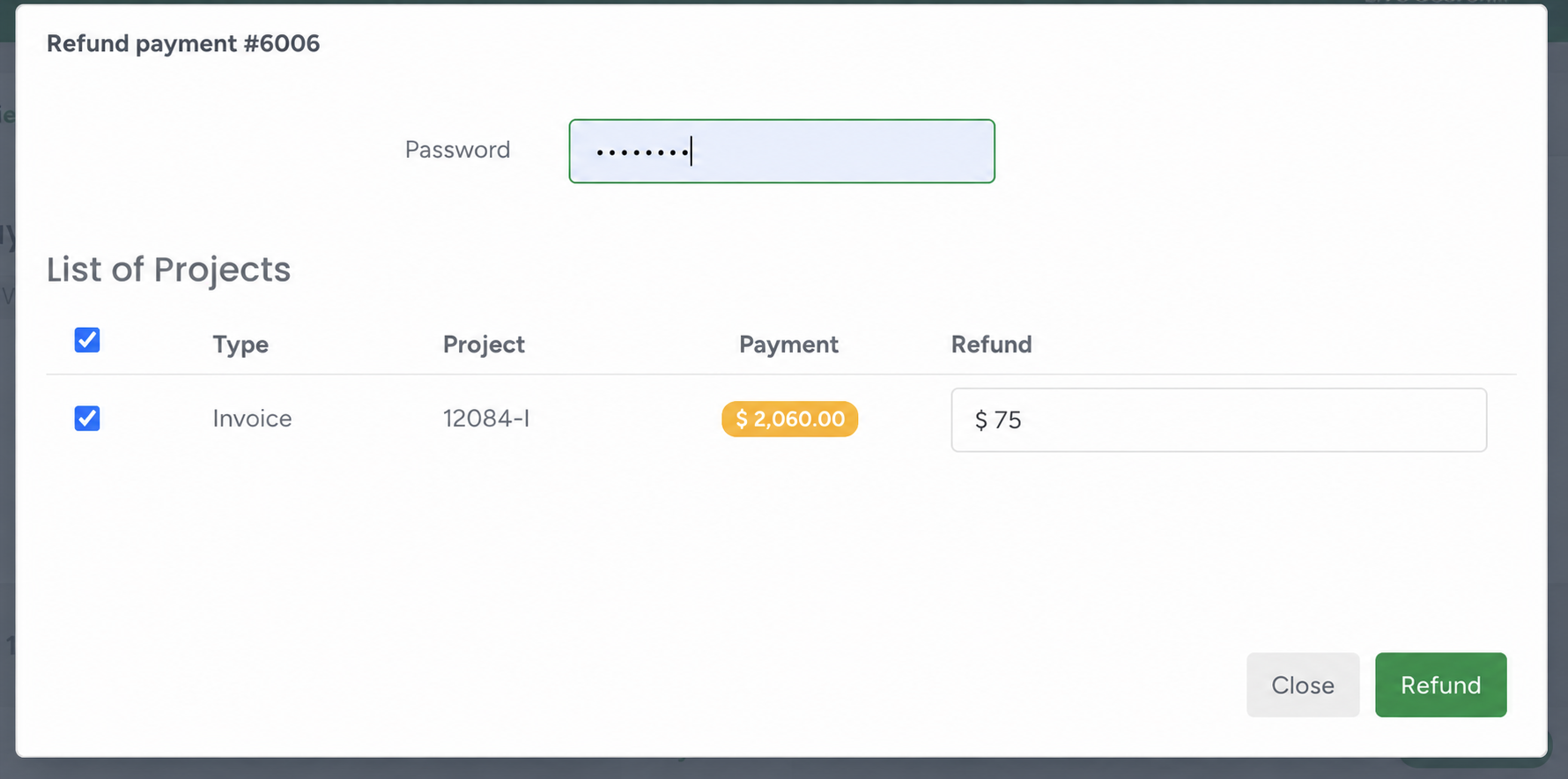
6. Click Submit to process the refund.
Once processed successfully, the refund transaction will appear in the Notes history.
Refund Processing Timeframes
Refunds typically take between 3–7 business days to appear in the customer’s account. Although the system initiates the refund request almost immediately, the final processing time depends on the customer’s banking institution or card issuer.
Credit/Debit Card Refunds
- Credit cards commonly process refunds within 3–5 business days
- Debit cards and smaller credit unions may take approximately 5–10 business days depending on their internal settlement cycles
ACH Refunds
- ACH payments cannot be refunded through ArboStar or the payment processor. If a customer needs to be reimbursed for an ACH payment, the refund must be handled outside of the ACH transaction.
Common refund methods include:
- Issuing a company check
- Sending funds via bank transfer
- Refunding through an alternative payment platform accepted by both parties
- Applying a credit to the customer's account for future services
Consult with your accountant or financial institution to determine the most appropriate refund method.
If the Customer Does Not Receive the Refund
If the customer does not see the refunded amount after 7 business days, advise them to contact their card-issuing bank and provide:
Refund date
Refund amount
The bank may then trace the pending transaction.
Offline Payment Refunds
For offline payment methods such as:
Direct bank deposits
E-Transfers
Checks
Zelle
Cash
Other manually recorded payment methods
Refunds must be handled externally outside of ArboStar. Since these transactions were not processed through the integrated payment gateway, ArboStar can only record the payment and does not have the ability to return the funds electronically.
Please contact your Customer Success Manager or chat with us for more information about enabling integrated payment processing to accept payments directly through the ArboStar portal.